3.7 Parts Placement and Setting
3-71
3
Screen Editing
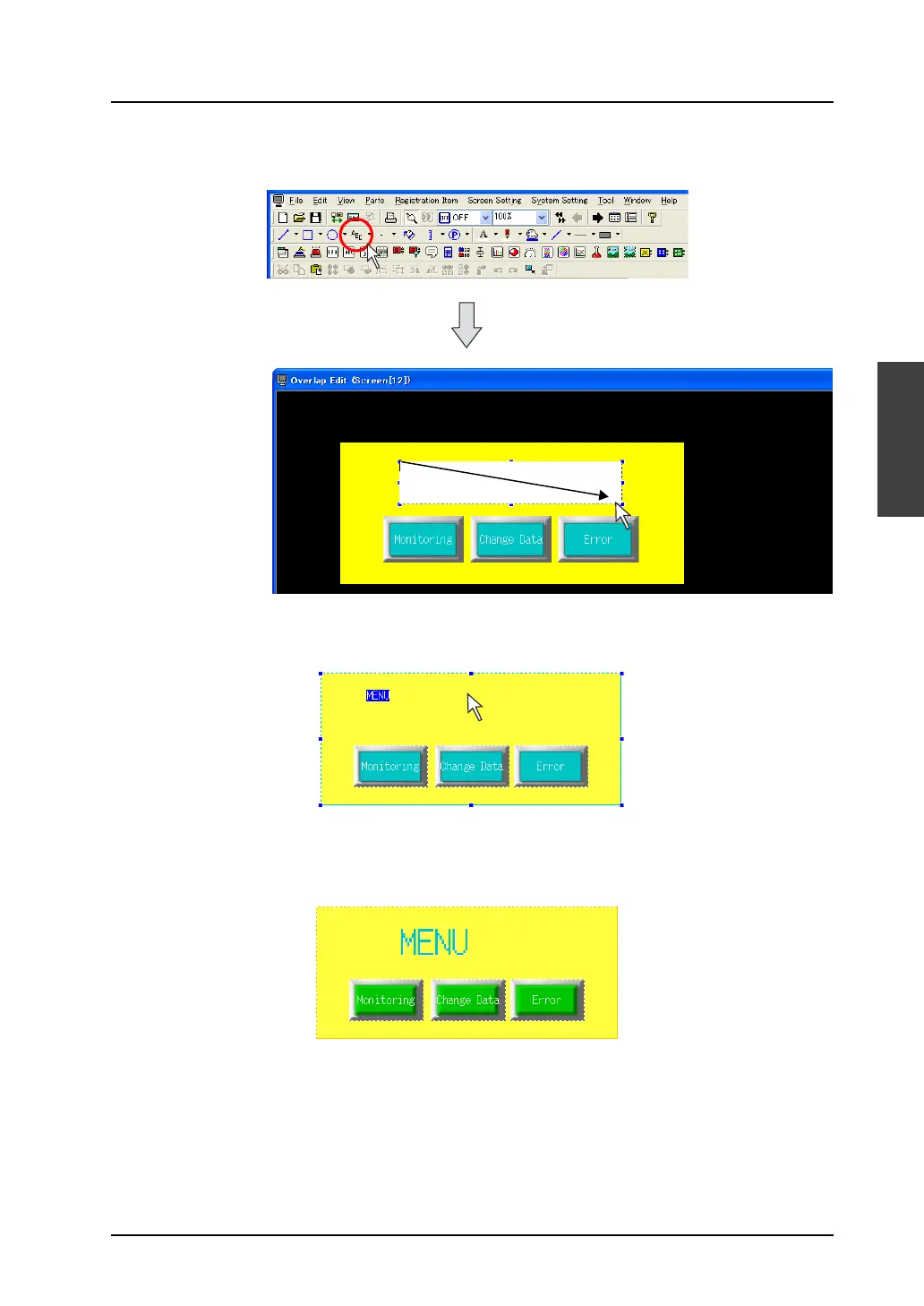
7. Click the [Text] icon on the toolbar, and draw a box for text entry by dragging the mouse at the
desired position on the overlap display.
8. The cursor is displayed on the box drawn in the step 7. Enter “Menu” and click any position other
than the text box. The entered text is displayed on the screen.
9. When changing the size or the color, click (or double-click) the text to bring up the item dialog.
Make changes as necessary in the dialog.
10. When editing is completed, right-click → [Overlap Editing] → [No. 0] or click the [No. 0] in the
overlap editing icons.
The former [Screen Edit] window is displayed.
The above step completes the overlap editing.



 To Next Page