3.7 Parts Placement and Setting
3-70
6. Next, place the text as a graphic on the overlap display.
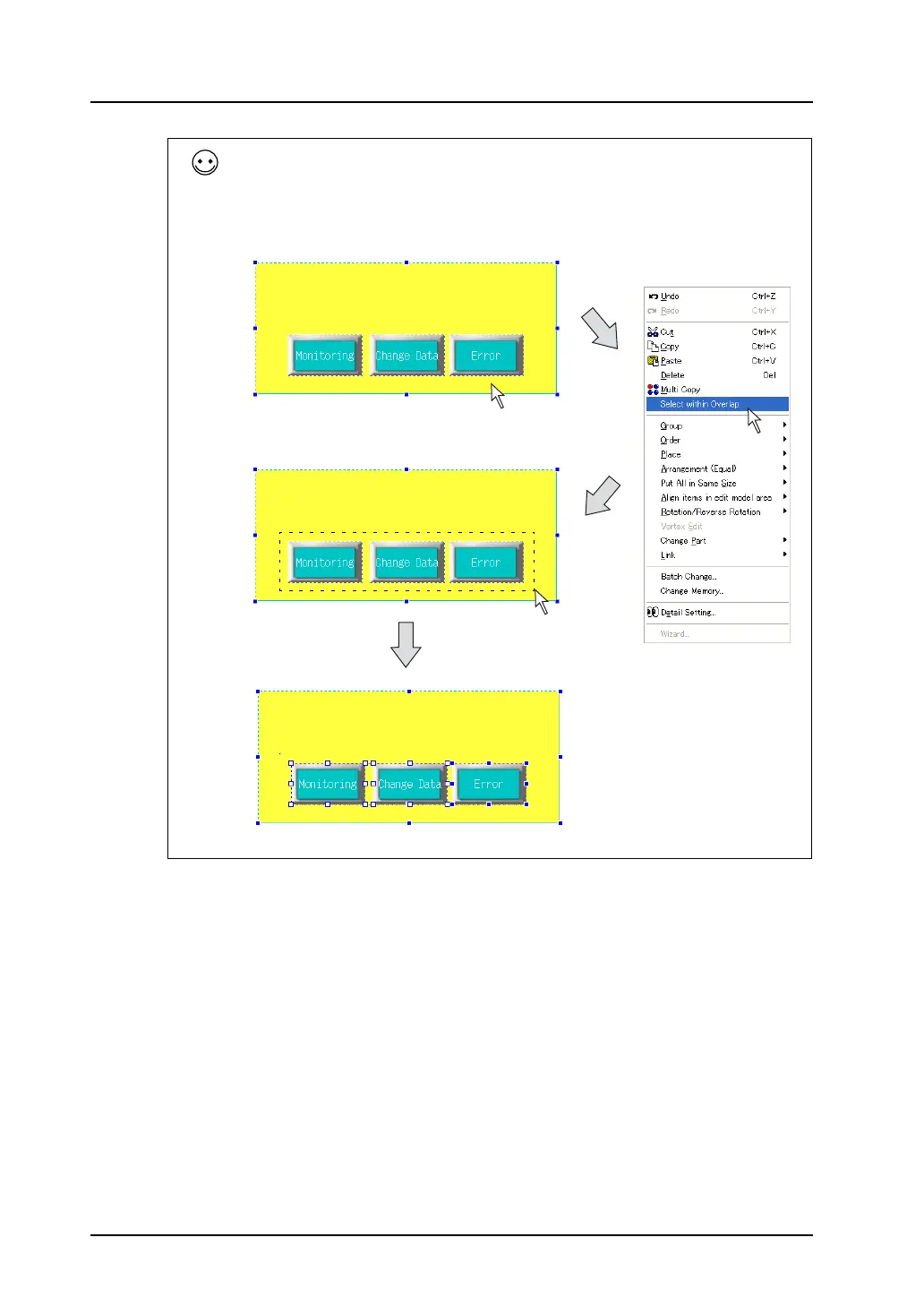
The following two methods are available to select multiple items on the overlap display without
switching the window with [Overlap Editing].
One method for selecting is clicking the parts one by one while the Shift key is held down after
selecting the overlap display.
The other method is clicking [Select within Overlap] from the right-click menu and enclosing parts to
be selected with the mouse within the overlap display area.
The overlap display part is selected
by clicking the mouse once.
Select multiple parts on the
overlap display at one time.
Multiple parts are selected.
Right-click.



 To Next Page