3.5 Color Types and Settings
3-43
3
Screen Editing
Blinking Setting
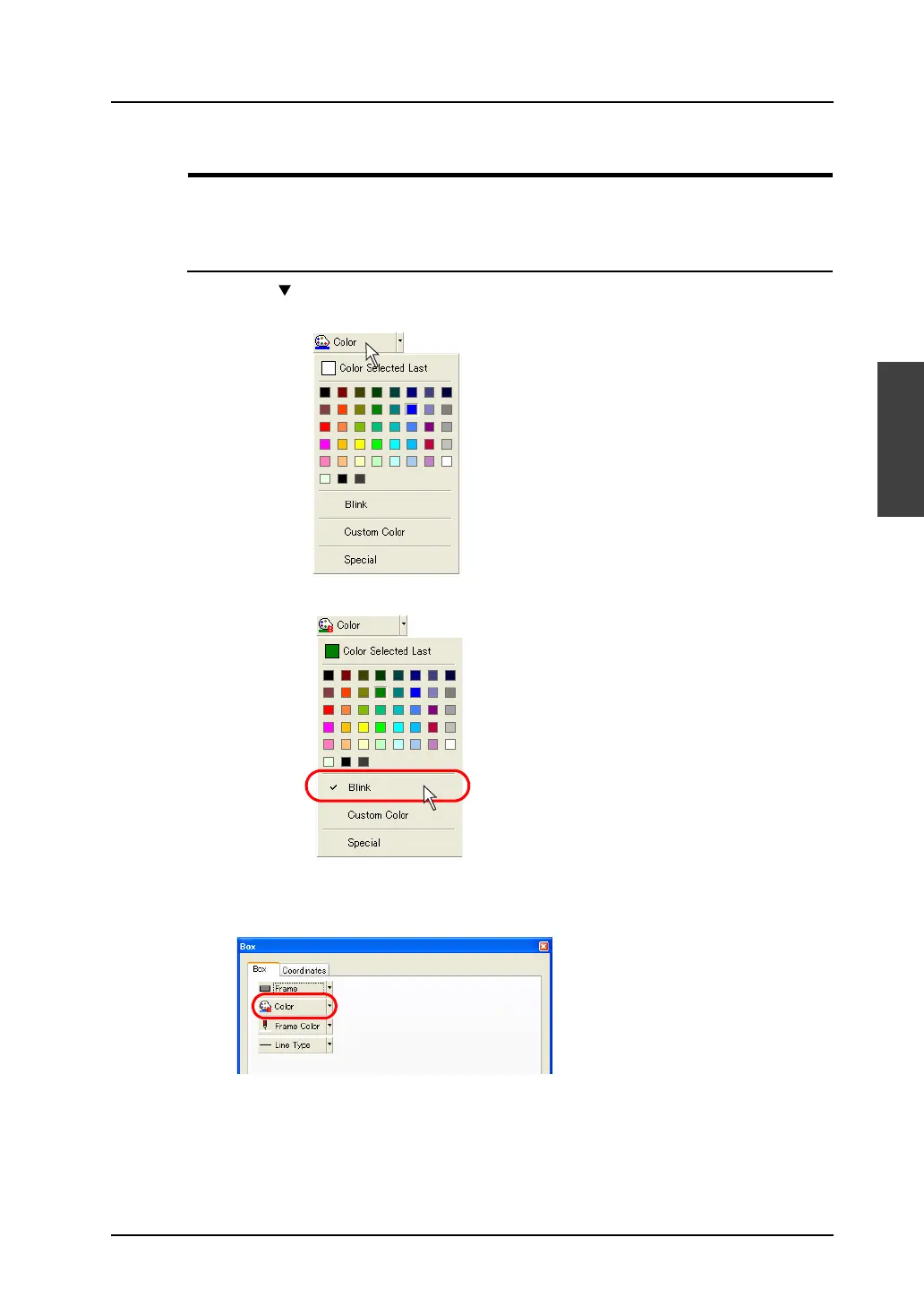
In the course of color settings, blinking can be selected. Note that blinking is not available with the
64k-color type.
Blinking Setting Procedure
1. Click the “ ” button on the right of the color change icon or the color change button.
The pull-down menu for selecting a color is displayed.
2. Click [Blink]. A check mark appears at [Blink].
3. Click a color as desired.
The color clicked is applied as the color of the specified item(s) and/or the color change icon.
Also, “B” is attached to the icon, indicating that the blinking setting has been made.
Click.
Click.



 To Next Page