8.1 Simulator
8-21
8
Useful Functions
Structure of the Sheet
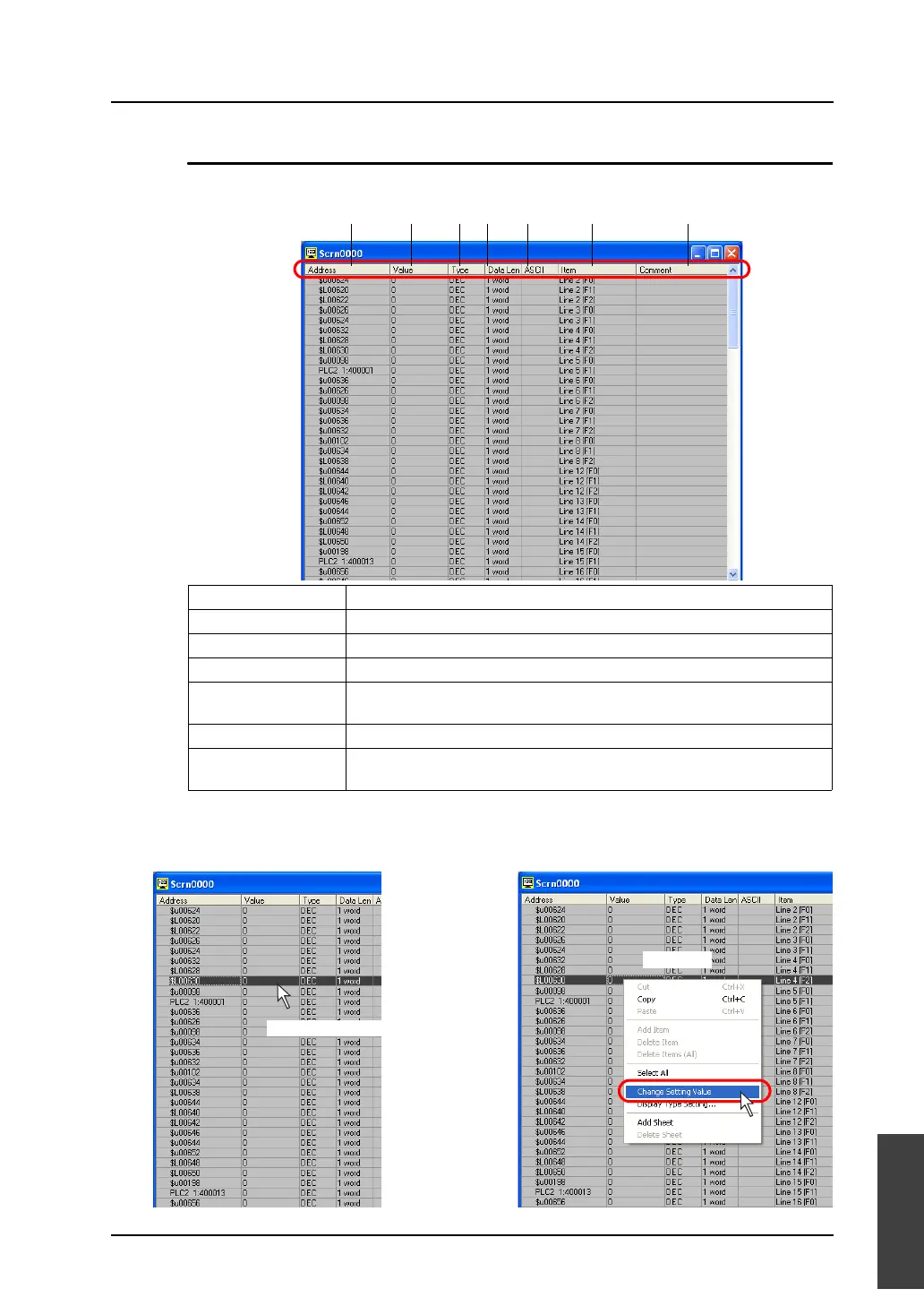
This example includes the format display, item display, and comment display.
How to change the value (word address)
1. Double-click the [Value] field, or click [Change Setting Value] from the right-click menu.
1. Address Shows address.
2. Value Shows setting value currently entered.
3. Type Shows display format currently set.
4. Data Length Shows data length currently set.
5. ASCII This item becomes active only when [Display] is selected for [ASCII].
Shows current setting value in ASCII code format.
6. Item Display Shows item name and setting item for the address.
7. Comment Display This is enabled for the item set on the [Untitled] tab window.
Shows comment registered on the [Untitled] tab window.
1. 2. 3. 4. 5. 6. 7.
OR
Double-click.
Right-click.



 To Next Page