8.1 Simulator
8-22
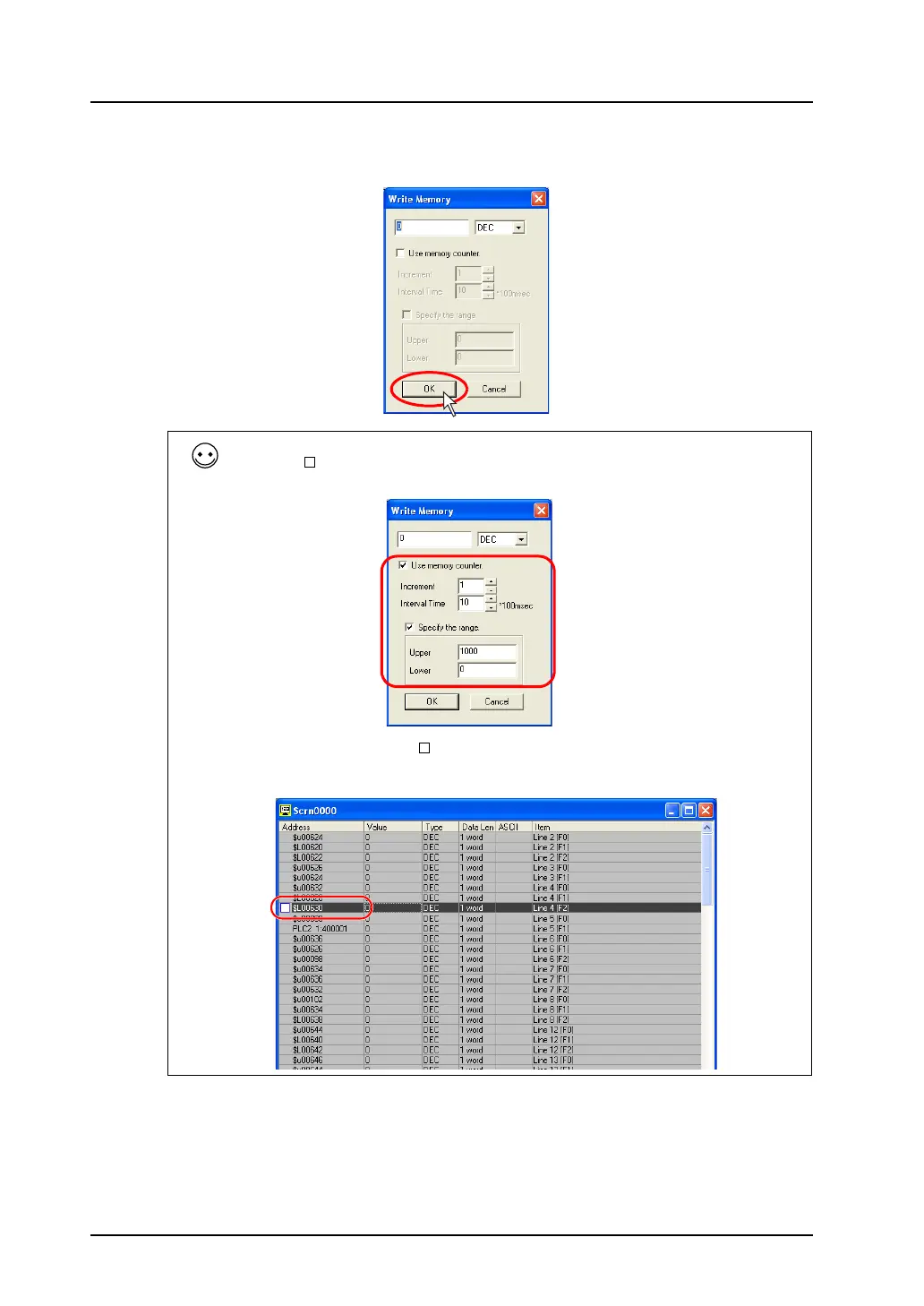
2. The [Write into Memory] dialog opens.
Set the desired value and click [OK].
3. The entered value is displayed on the sheet. It is also recognized on MONITOUCH.
Memory counter
Checking [ Use Memory Counter] makes it possible to increment or decrement values within the
specified range at specified intervals.
When this box is checked, the “ ” mark is displayed on the left of the address displayed on the tab
window.
Clicking the mark executes increment or decrement.



 To Next Page