5.7 Overlap Library
5-27
5
Registration
Editing an Overlap Library
Placing an Overlap Display Part
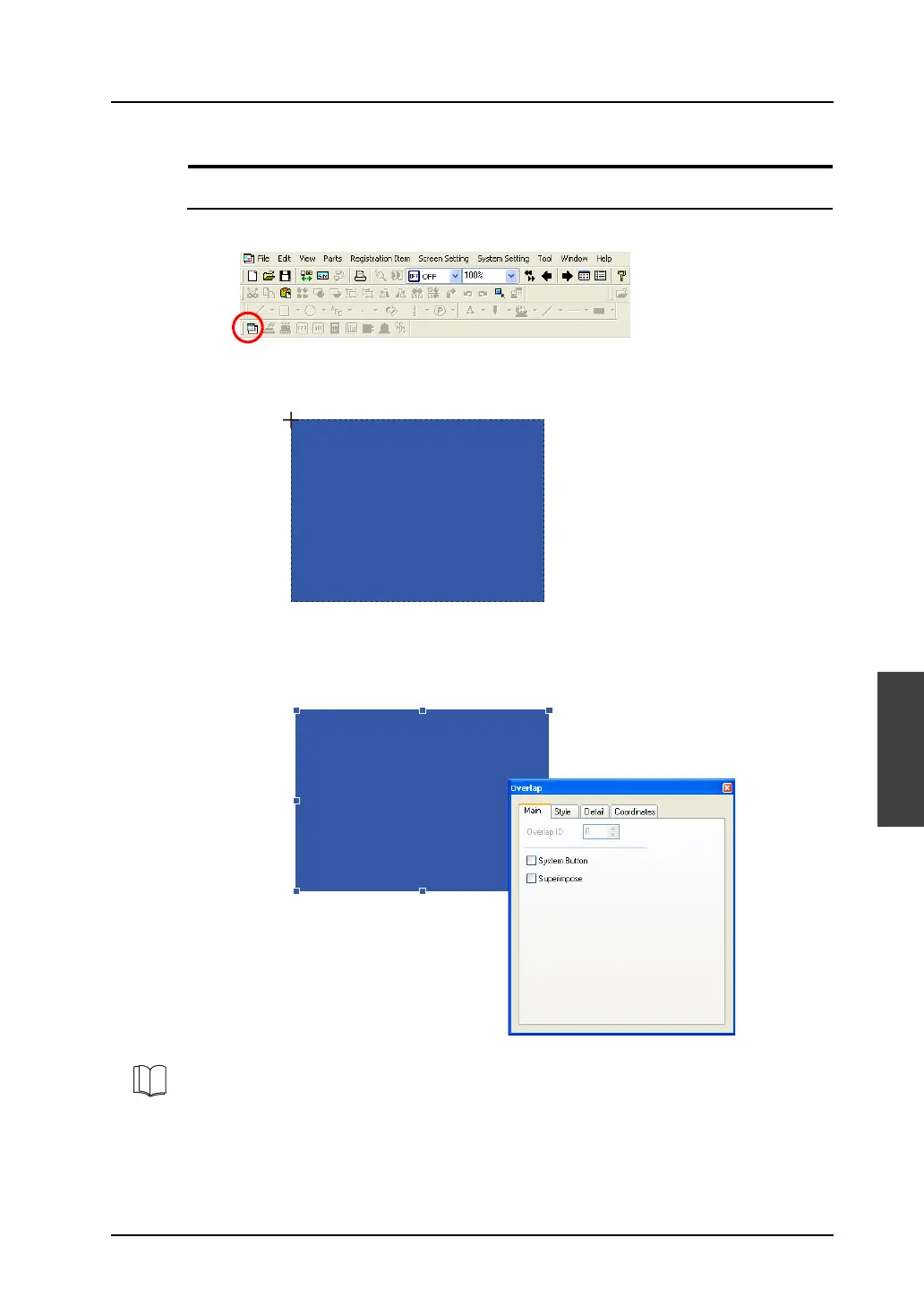
1. Click the [Normal Overlap] icon on the toolbar.
2. A cross-shaped cursor and the overlap display part are displayed on the screen.
3. Click the mouse in an arbitrary position. The overlap is placed.
When the overlap part is selected, the [Overlap] dialog is displayed. (If the dialog does not appear,
double-click the overlap part.)
For more information on the setting items, refer to “Chapter 2 Overlap” in the V8 Series Reference
Manual.



 To Next Page