Language Entry Method
A1-9
A1
Font
Language Entry Method
English/Western Europe, English/Western Europe HK
Gothic, and English/Western Europe HK Times
Key in characters in the same manner as you type each language on your computer.
Using “English/Western Europe” Font on Non-compatible Operating
System
This section explains how to enter German text on Windows XP, for example.
IME installation
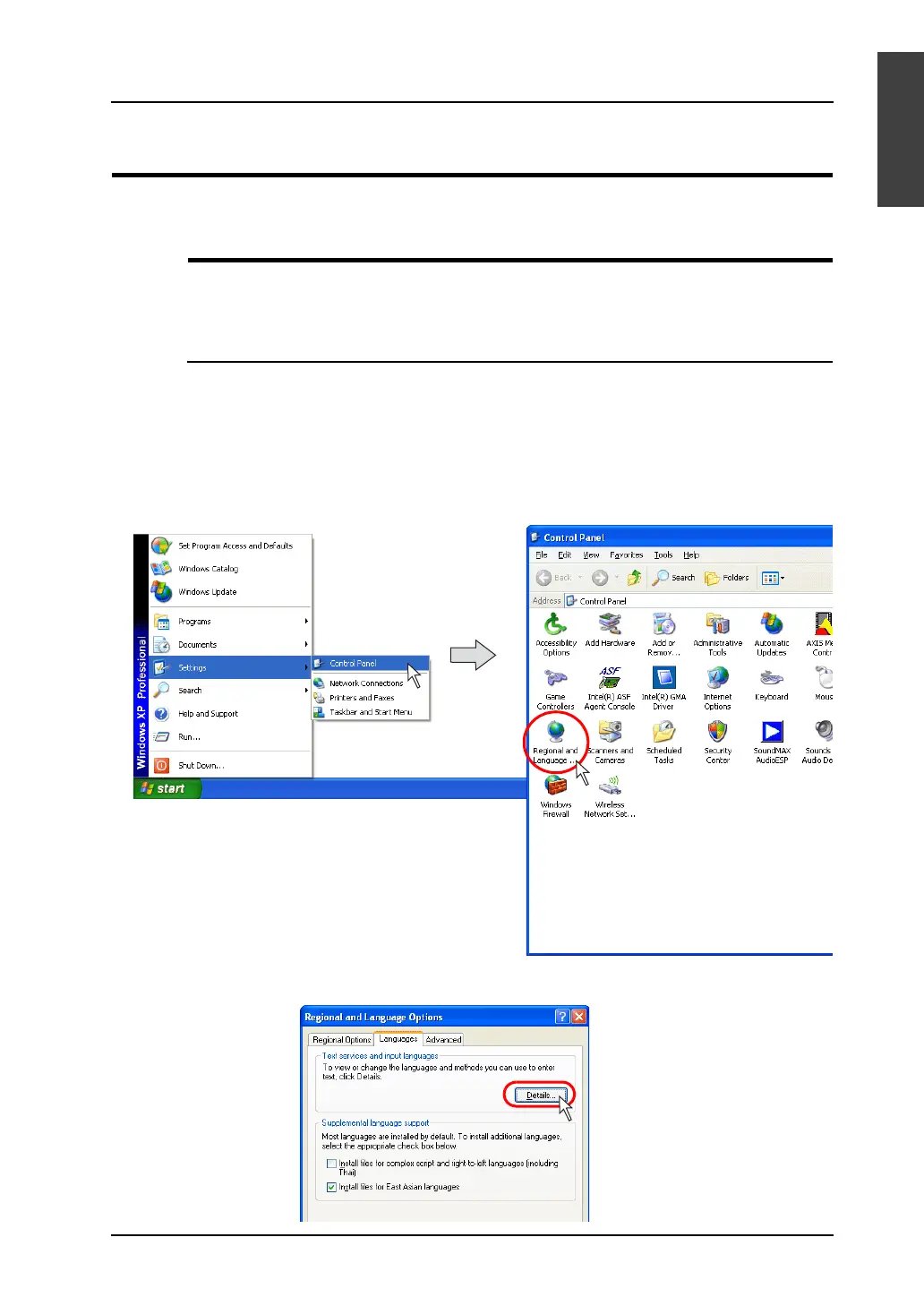
1. On Windows XP, click [Start] → [Settings] → [Control Panel]. The [Control Panel] window is
displayed.
Double-click [Regional and Language Options]. The [Regional and Language Options] dialog is
displayed.
2. Open the [Languages] tab window. Click the [Details] button.



 To Next Page