6.7 After Transfer (Communication with PLC)
6-56
6.7 After Transfer (Communication with PLC)
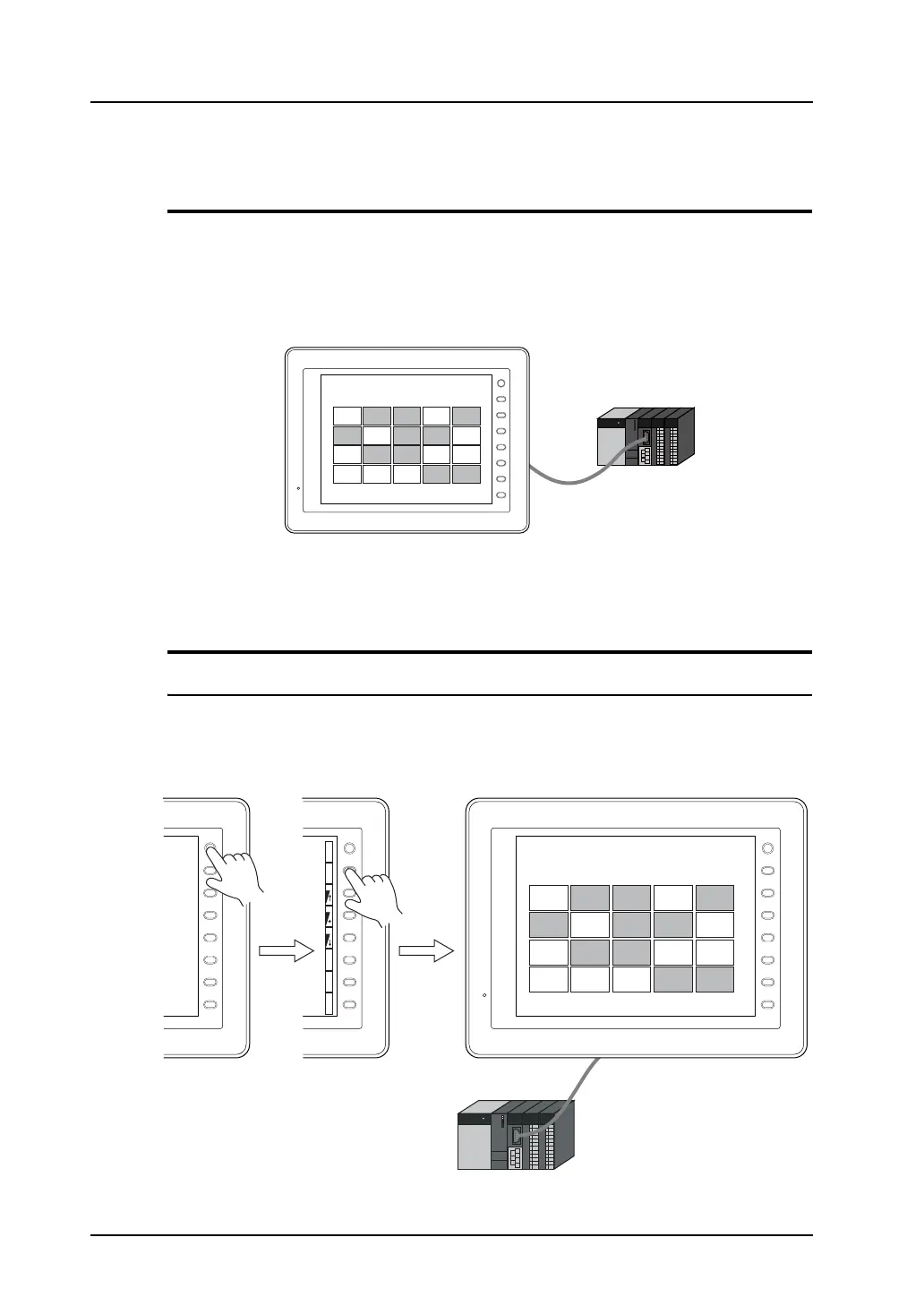
Connection with PLC
• To establish communication between MONITOUCH and a PLC, it is necessary to connect them
using a communication cable.
When establishing 1:1 connection with a PLC, normally use the CN1 port (D-sub 25-pin) on
MONITOUCH.
• For more information on wiring or the setting for connection, refer to the V8 Series Connection
Manual.
Preliminaries on MONITOUCH
Switching to RUN (= Communicating) Mode
When the Main Menu screen is displayed during screen data transfer, it is necessary to restore the
RUN state.
Press the [SYSTEM] function switch. When the menu is displayed, press the [F1] switch. Then,
MONITOUCH is switched to the RUN state.
PLC
F 1
F 2
F 3
F 4
F 5
F 6
F 7
SYSTEM
A-1 A-2 A-3 A-4 A-5
B-1 B-2 B-3 B-4 B-5
C-1 C-2 C-3 C-4 C-5
D-1 D-2 D-3 D-4 D-5
MONITORING
RUN mode
F 1
F 2
F 3
F 4
F 5
F 6
F 7
SYSTEM
F 1
F 2
F 3
F 4
F 5
F 6
F 7
SYSTEM
BR
BR
BR
S
Y
S
T
E
M
M
O
D
E
B
A
C
K
L
T
PLC
F 1
F 2
F 3
F 4
F 5
F 6
F 7
SYSTEM
A-1 A-2 A-3 A-4 A-5
B-1 B-2 B-3 B-4 B-5
C-1 C-2 C-3 C-4 C-5
D-1 D-2 D-3 D-4 D-5
MONITORING



 To Next Page