Windows Font
A1-36
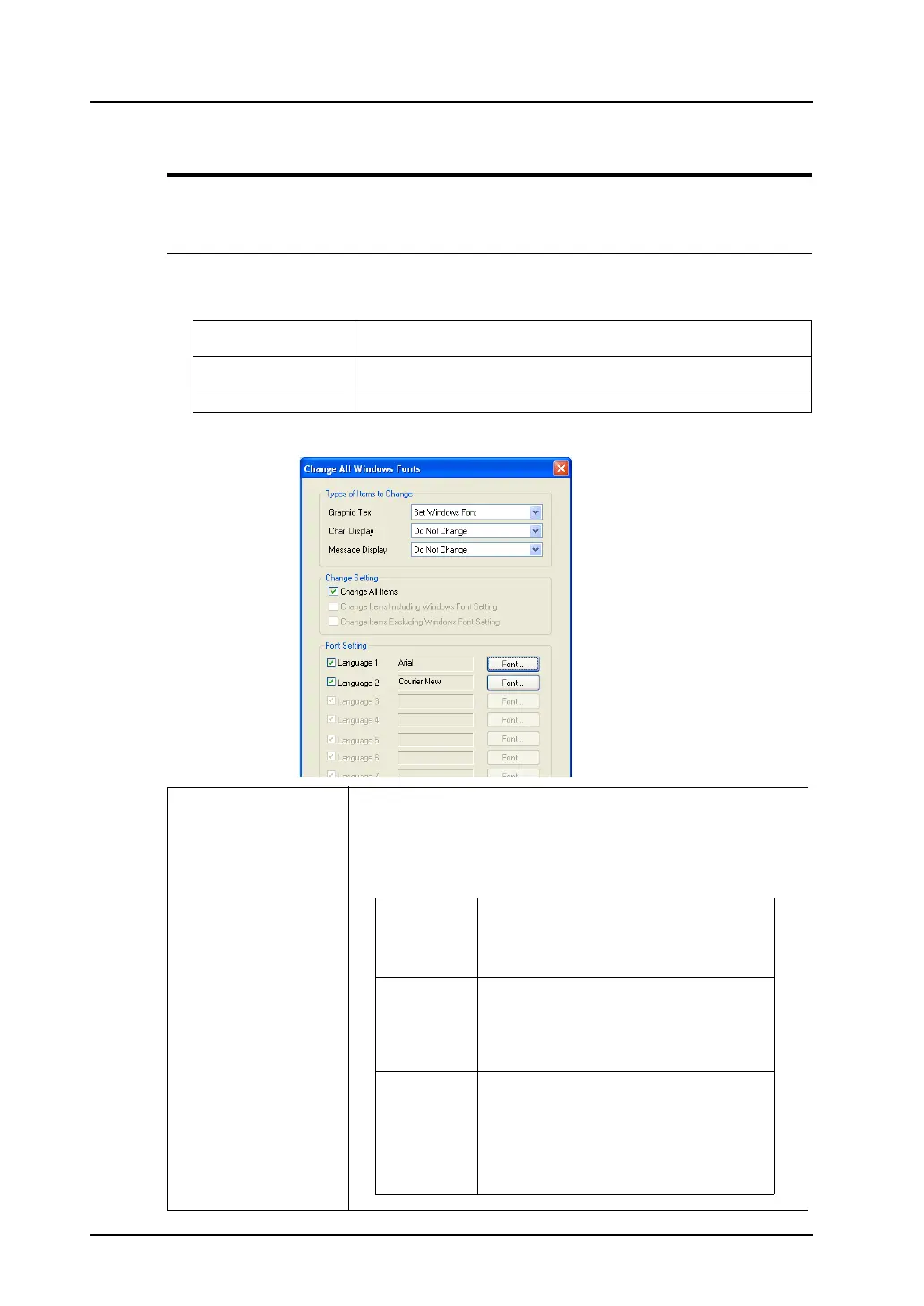
Change All Windows Fonts
It is possible to make/cancel/change Windows font settings all at once.
Procedure
1. Click [Tool] → [Change All Windows Fonts].
2. From the sub-menu to be displayed, select an item according to your purpose.
3. The [Change All Windows Fonts] dialog is displayed.
Change All Check this item when making changes to all items in the screen data you are
currently editing.
Current Window Change Check this item when making changes to all items in the window you are
currently editing.
Selected Item Check this item when making changes to selected items.
Types of Items to Change Select items to which batch setting applies.
Do Not Change
Reset Windows Font
Set Windows Font
The target items and their categories are:
Graphic text Text in drawing
Multi Text
Comment display
Text on switch/lamp
Table data display (text in drawing)
Character
display*1
Numerical data display
Character display
Table data display (numerical data/character)
Sampling display area
Time display
Calendar
Message
display*2
Message display
Table data display (message)
Bit order alarming
Alarm sub display
Message mode
Alarm logging
Time order alarming
Alarm tracking



 To Next Page