8.7 Other Functions in the [Tool] Menu
8-71
8
Useful Functions
Changing Memory of Selected Items Only
Memory addresses of the selected screen items in the current editing file can be changed
simultaneously.
Operating procedure
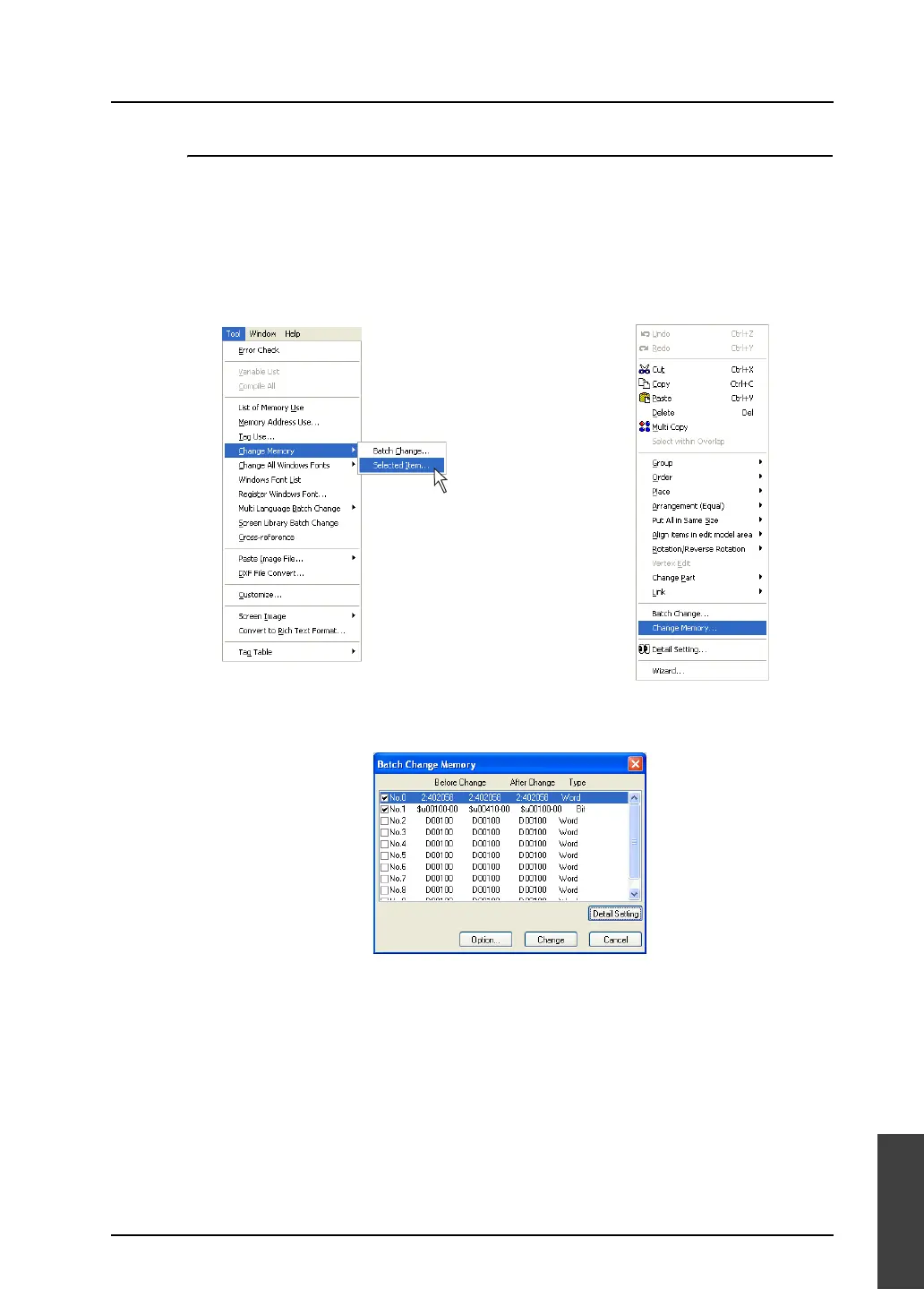
1. Select the desired items for memory change.
2. Click [Tool] → [Change Memory] → [Selected Item], or click [Change Memory] in the right-click
menu.
3. The [Batch Change Memory] dialog is displayed. The memory addresses assigned to the selected
items automatically appear in the dialog.
4. Click on the check box for the desired number. The [Detail Setting] button becomes enabled.
5. Click the [Detail Setting] button. The [Memory Setting] dialog is displayed.
6. Choose [Bit] or [Word]. Memory change is performed in units of bits or words as selected.
7. Enter the first address of the memory addresses to be changed for [Before Change Start Memory]
Likewise, enter the last address of the memory addresses to be changed for [Before Change End
Memory].
8. Enter the desired first address after change for [After Change Start Memory] in the same manner.
9. When settings are completed, click [OK]. The former [Batch Change Memory] dialog is displayed
again.
10. Click [Option] and select items of which memory addresses should be changed.
For more information, refer to the next section.
11. Click [Change]. The specified memory addresses are changed in a batch.
OR
Right-click menu



 To Next Page