4.3 Drawing Methods
4-17
4
Drawing
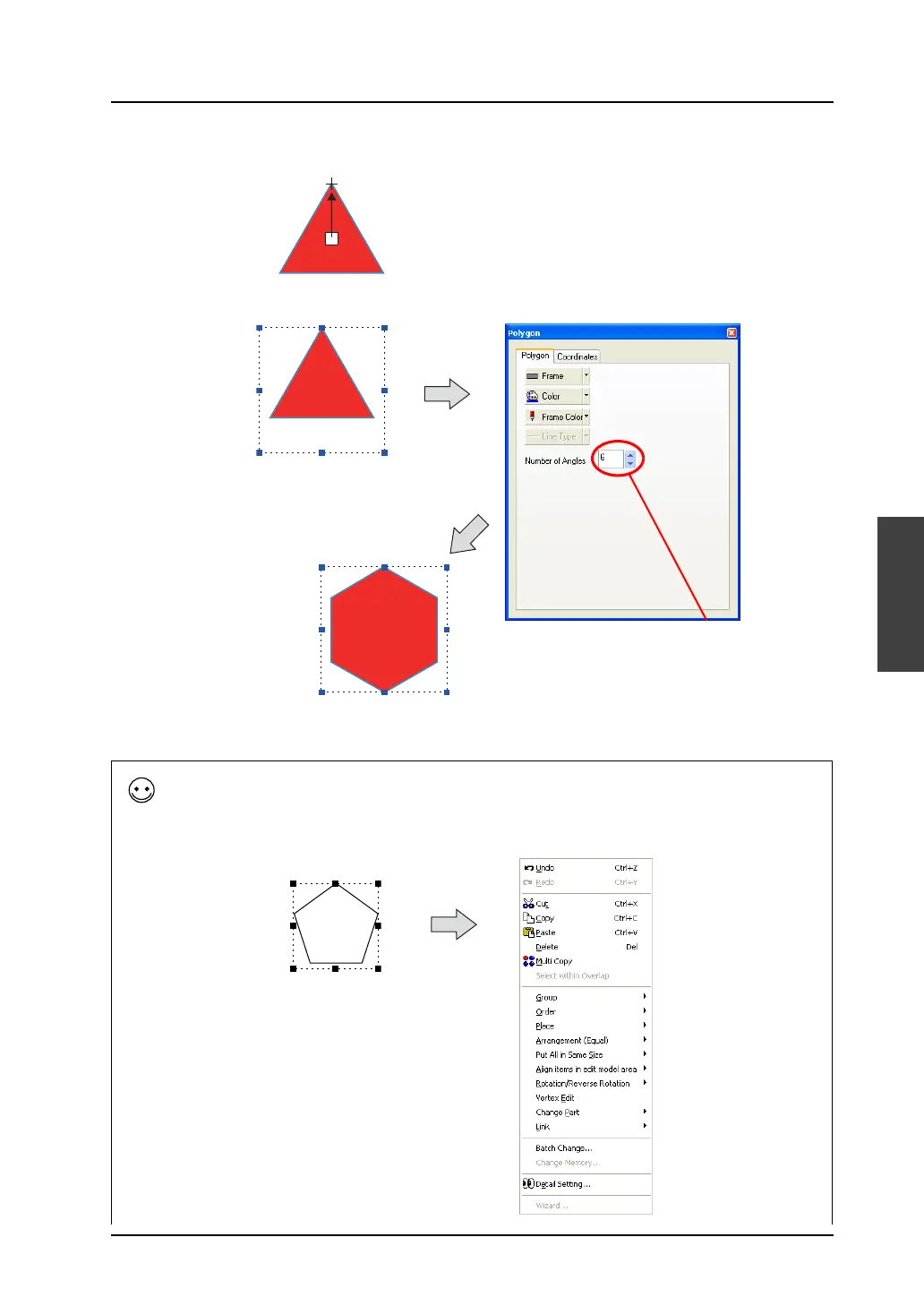
6. Drag the mouse from the center to a corner. Then the polygon is drawn.
7. The number of angles can be changed in the [Polygon] item dialog.
8. To reset the drawing setting, right-click or double-click the mouse.
By dragging the mouse again without resetting it, you can draw another polygon continuously.
[Number of Angles] is
changed from “3” to “6”.
[Vertex Edit]
To change the angular position or radius of the polygon drawn on the screen, use the [Vertex Edit] command.
Click the drawn polygon and right-click on it.
The following right-click menu is displayed:
Click and then right-click on it.
The right-click menu is
displayed.



 To Next Page