3.8 Useful Functions for Screen Editing
3-100
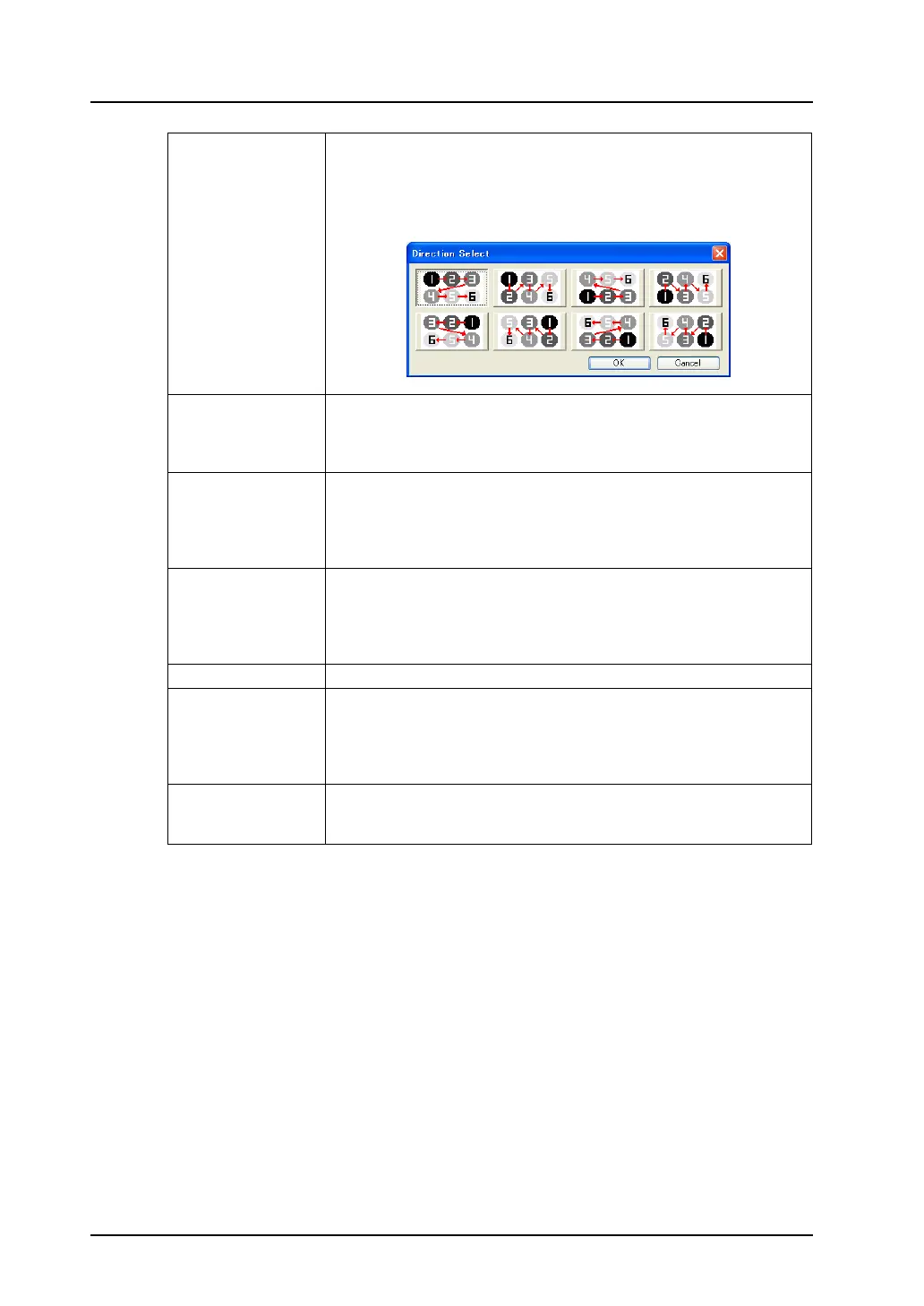
Direction When the check box of [Memory INC] or [Order INC] is turned on, it
determines the direction of placing copied parts.
When changing the direction, click [Change Direction].
he [Direction Select] dialog is displayed. Choose the desired direction and
click [OK]. The selected direction becomes valid.
Order INC This option is valid when making multiple copies of a data display part for
which [Order INC] is set. If you wish to increment the [Order INC] setting
for copies to be made, check this option.
[Order INC] is provided with the [Step] setting.
Display Order INC This option is valid when making multiple copies of a switch/lamp part for
which [Function: Mode] or [Function: Recipe Display] is set. If you wish to
increment the [Display Order] setting for copies to be made, check this
option.
[Order INC] is provided with the [Step] setting.
Memory INC This option is valid when using a switch/lamp or data part as the copy
source.
Specify the top memory address for the copy source. Memory addresses
are allocated for the number of copies. [Memory] and [Step] become
active.
Used Memory Specify the top memory address of the copy source.
Step Specify the increment (in words or bits) when increasing the memory
address consecutively.
When “1” is entered, the allocated addresses are incremented by one word
or bit. When “2” is entered, the allocated addresses are incremented by
two words or bits.
File No. +1
Record No. +1
These options are useful when [Memory Card] is selected as the memory
type.
If you wish to increment the file/record number, check the option.



 To Next Page