3.6 Parts
3-62
Linkage
When the linked part has been once separated into individual pieces, it is recommended to link them
again after editing.
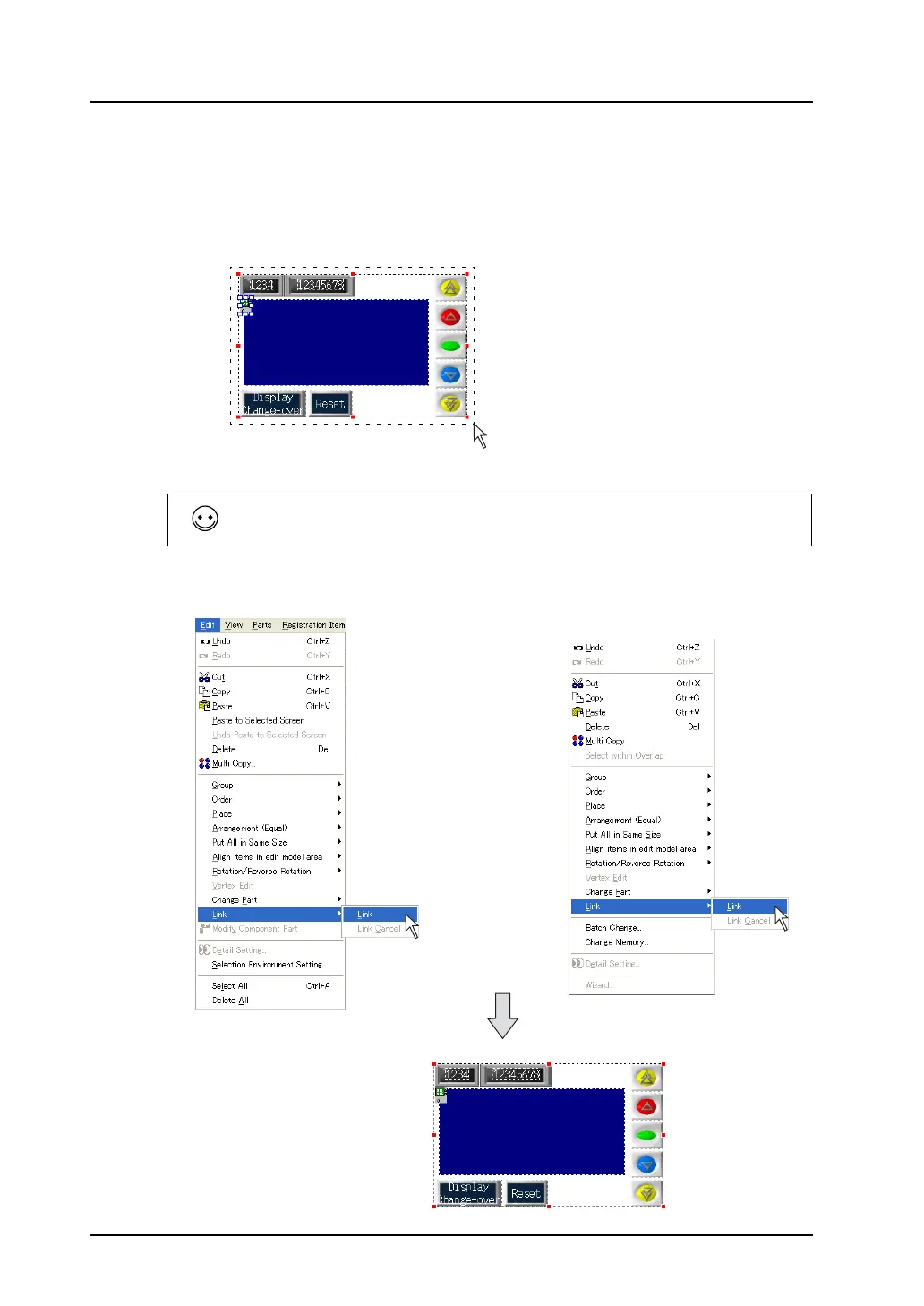
Follow the procedure below to link the parts.
1. Select the parts to be linked together.
2. Click [Edit] → [Link] → [Link], or right-click the mouse and click [Link] → [Link]. The selected parts
are linked and the red handle is displayed around the linked part.
If it is difficult to select parts at one time, click the parts one by one while holding down the Shift key.
Multiple parts can be selected.
Drag the mouse enclosing all
of the parts to be linked.
OR
Right-click.



 To Next Page