5.10 Pattern
5-51
5
Registration
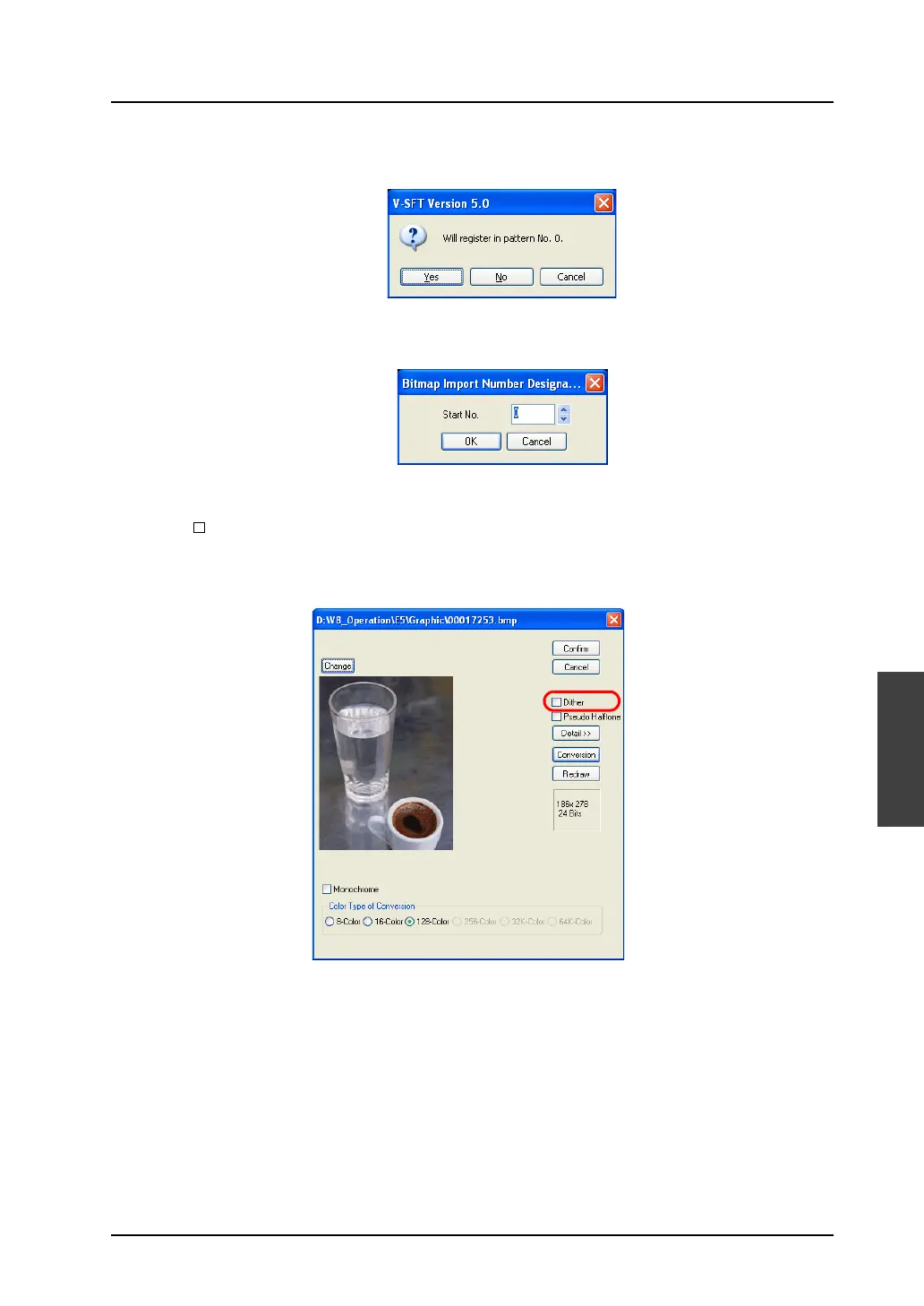
3. The following confirmation dialog is displayed.
Clicking [Yes] imports the bitmap file.
4. Clicking [No] brings up the [Bitmap Import Number Designation] dialog. Enter the top pattern
number to be imported and click [OK]. The bitmap data is imported.
Dialog for image import
[Dither]
When this option is checked, dithering can be performed to make the colors of the bitmap closer
to the original.
The option is invalid when [64K-color] or [32K-color] is selected for [Color Type of Conversion].



 To Next Page