5.10 Pattern
5-49
5
Registration
Transparent Color Setting
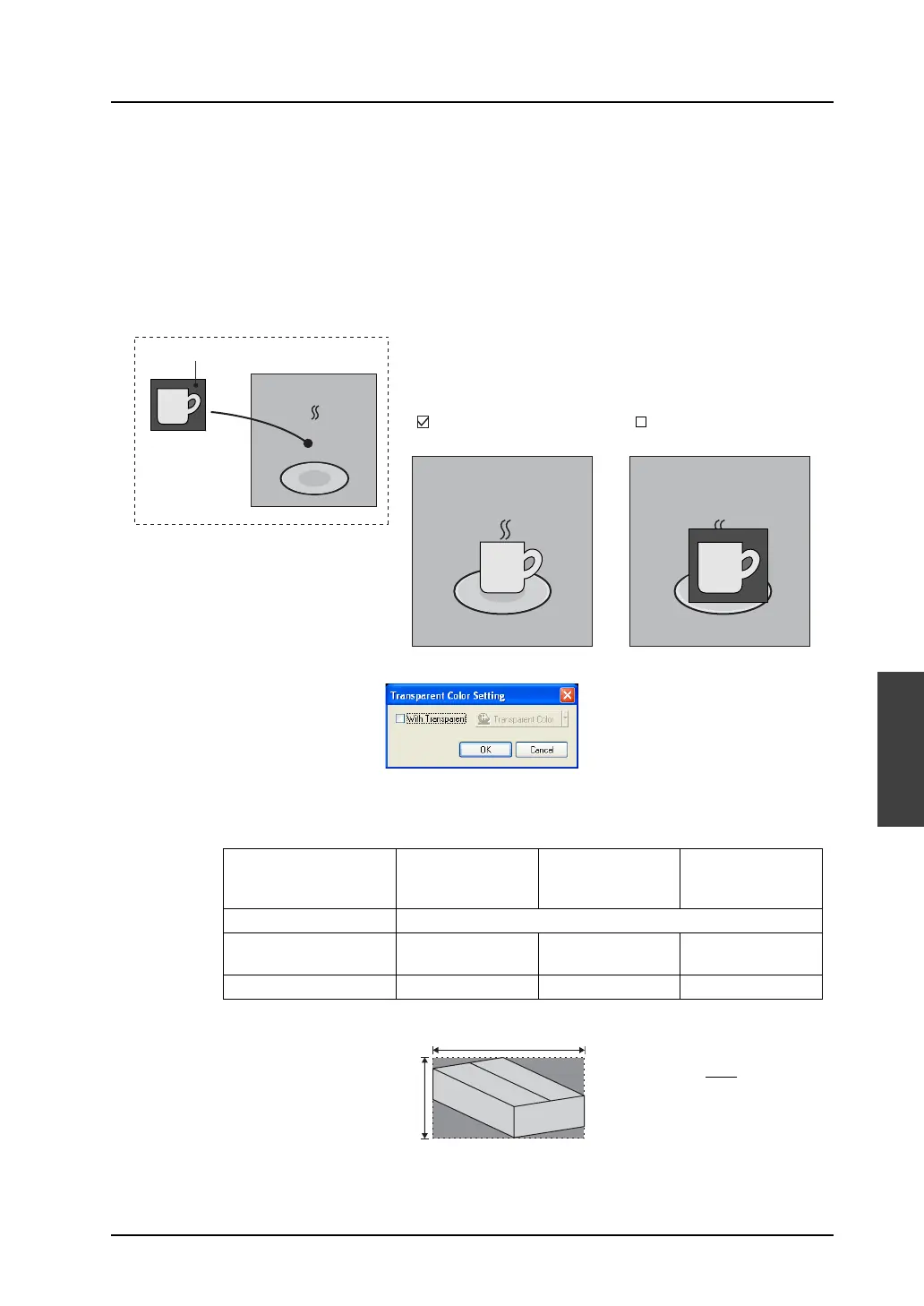
When a pattern is animated in graphic relay mode, etc., the pattern is displayed in the XORed color. If
the screen background is not colored black, therefore, the pattern may not be displayed in its actual
color.
To display the pattern in its actual color without the influence on the background, a transparent color
setting is effective. (Set the color that you do not want to display as transparent when the pattern is
placed on the screen.)
As a transparent color, only one color can be set for each pattern.
Even in a case where animation is not used, a transparent color setting is reflected through pattern
placement on the screen.
Clicking this command brings up the [Transparent Color Setting] dialog.
* The following limitation is imposed on the transparent color setting for patterns. Ignoring
the limitation will disable the transparent color setting, and the pattern is displayed in the
color XORed with the background.
Pattern
Green
Place
Screen
[ Transparent Color: Green]
Screen
[ Transparent Color: None]
Screen
V815iX/V812xS/
V810xS/V810xT/
V808xS
V810xC
V808xC
V808xCH
V806
One-pattern size
*1
4,088 dots
Maximum number per
screen
*2
512 pcs 128 pcs 64 pcs
Total size per screen
*2
768,000 dots 512,000 dots 256,000 dots
*1 Pattern size = X size × Y size
*2 Transparent patterns, transparent switches, and transparent lamps are included in
these limits.
80 × 50 = 4,000 < 4,088 dots
Transparent color available with this
pattern
80 dots
50 dots



 To Next Page