3.8 Useful Functions for Screen Editing
3-107
3
Screen Editing
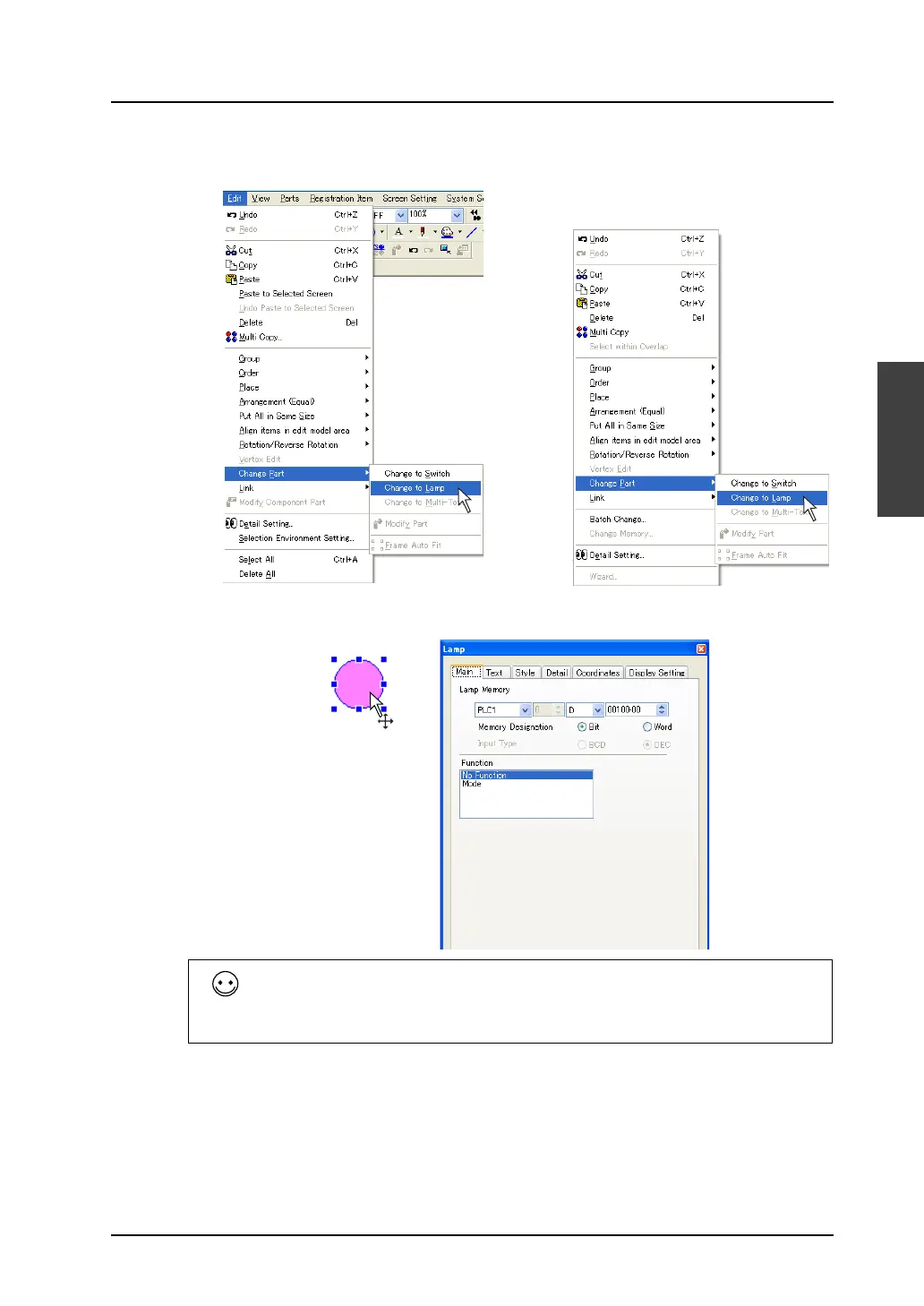
2. Click [Edit] → [Change Part] → [Change to Lamp], or right-click the circle, and click [Change Part]
→ [Change to Lamp].
3. The circle becomes a lamp part.
The above manner using [Change to Lamp] or [Change to Switch] applies to the only ON and OFF
patterns of a switch/lamp part.
For a switch/lamp with 3 or more patterns (3 or more notches), the additional pattern(s) must be
created separately.
For pattern editing procedure (such as OFF/ON/P3), refer to “Modify Part” on the following pages.
OR
Right-click.



 To Next Page