8.1 Simulator
8-27
8
Useful Functions
From Simulator to the V8 series
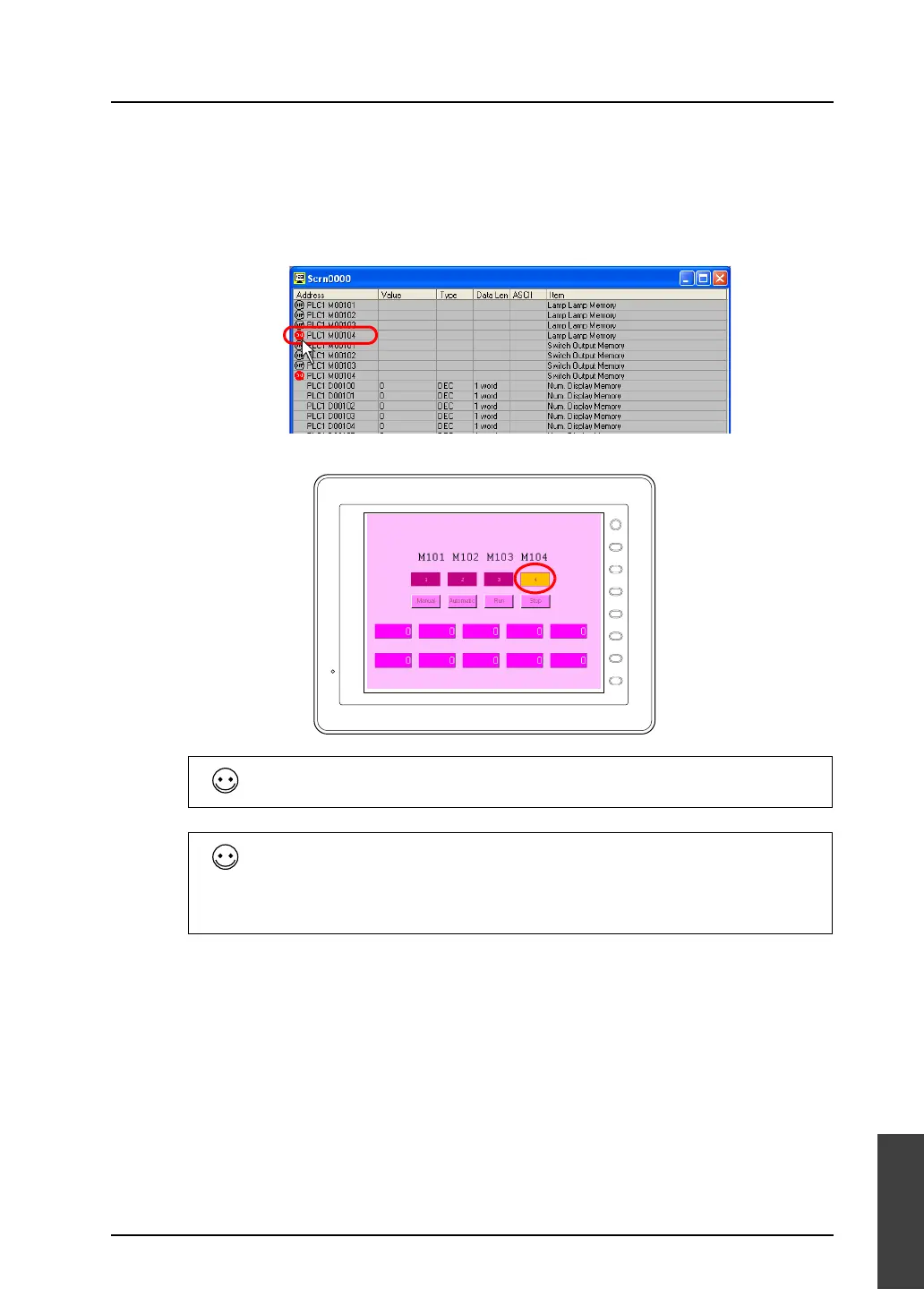
Use Simulator to turn the lamp on. As an example, M104 is allocated to the lamp “4” on the extreme
right.
1. On Simulator, click the [OFF] icon for M104 (lamp memory).
The icon will change from [OFF] to [ON].
2. Lamp “4” will light up on MONITOUCH.
While a memory address is selected with the cursor on Simulator, the corresponding bit access device
is set or reset at each press the space key on the keyboard.
Setting/resetting multiple bits simultaneously
1. Select bit access devices that will be set/reset (multiple selections possible).
Select sequentially by holding down the [SHIFT] key and clicking the mouse.
Select randomly by holding down the [CTRL] key and clicking the mouse.
2. Pressing the space key sets the bits.
3. Pressing the space key again resets the bits.
F 1
F 2
F 3
F 4
F 5
F 6
F 7
SYSTEM



 To Next Page