6.4 Transfer Procedure (Using a Communication Cable)
6-30
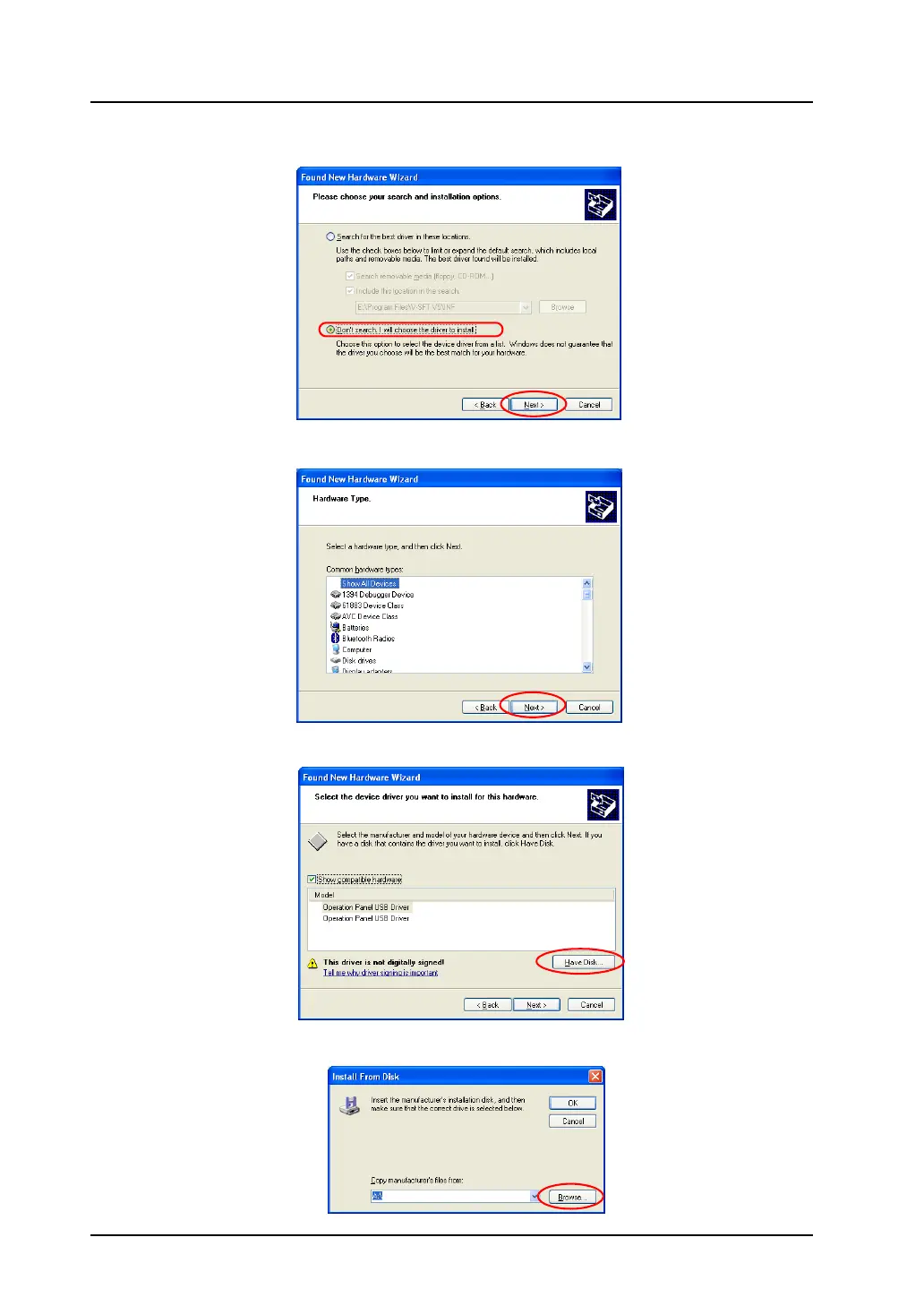
4. Select [Don’t search. I will choose the driver to install] in the following dialog, and click [Next].
5. The dialog below is displayed. Click the [Next] button.
6. The following dialog is displayed. Click [Have Disk].
7. The [Install From Disk] dialog is displayed. Click [Browse].



 To Next Page