6.4 Transfer Procedure (Using a Communication Cable)
6-31
6
Transfer with V8
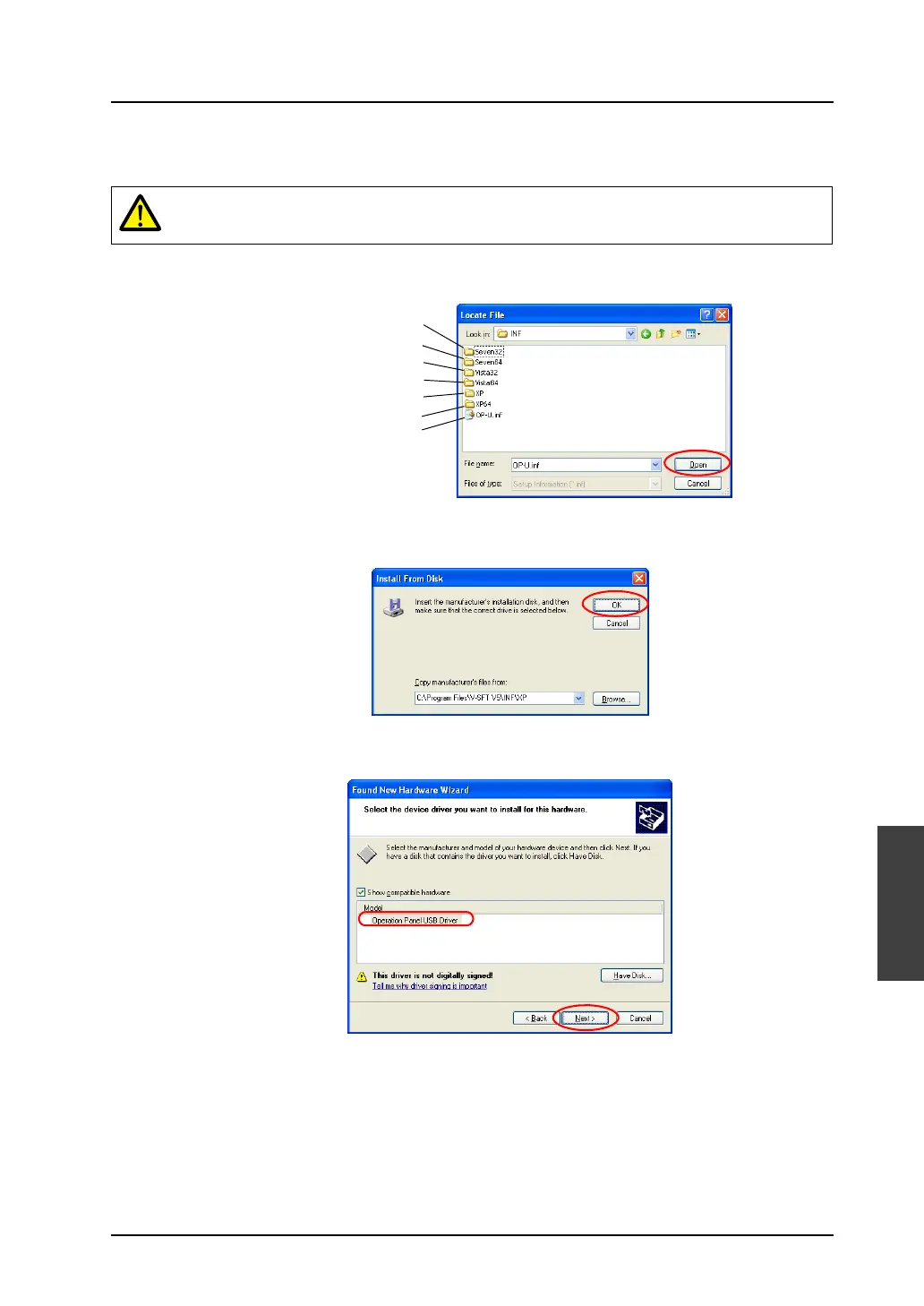
8. The USB driver “OP-U.inf” is automatically stored in the installation folder within the V-SFT-5 editor
(“INF” folder in the V-SFT V5 as an example).
Select the “OP-U.inf” file and click the [Open] button.
9. The previous dialog is displayed again. Check the path shown under [Copy manufacturer’s files
from:] and click [OK].
10. The following dialog is displayed. Check that [Operation Panel USB Driver] is shown under
[Models:]. Click [Next].
The USB driver to be installed varies, depending on the OS installed on your computer. Be sure that
the driver is correct.
Windows VISTA 64-bit version
Windows XP
Windows 7 32-bit version
Windows 7 64-bit version
Windows VISTA 32-bit version
Windows XP 64-bit version
OS earlier than Windows XP



 To Next Page