8.8 File Management
8-83
8
Useful Functions
Specifying a number:
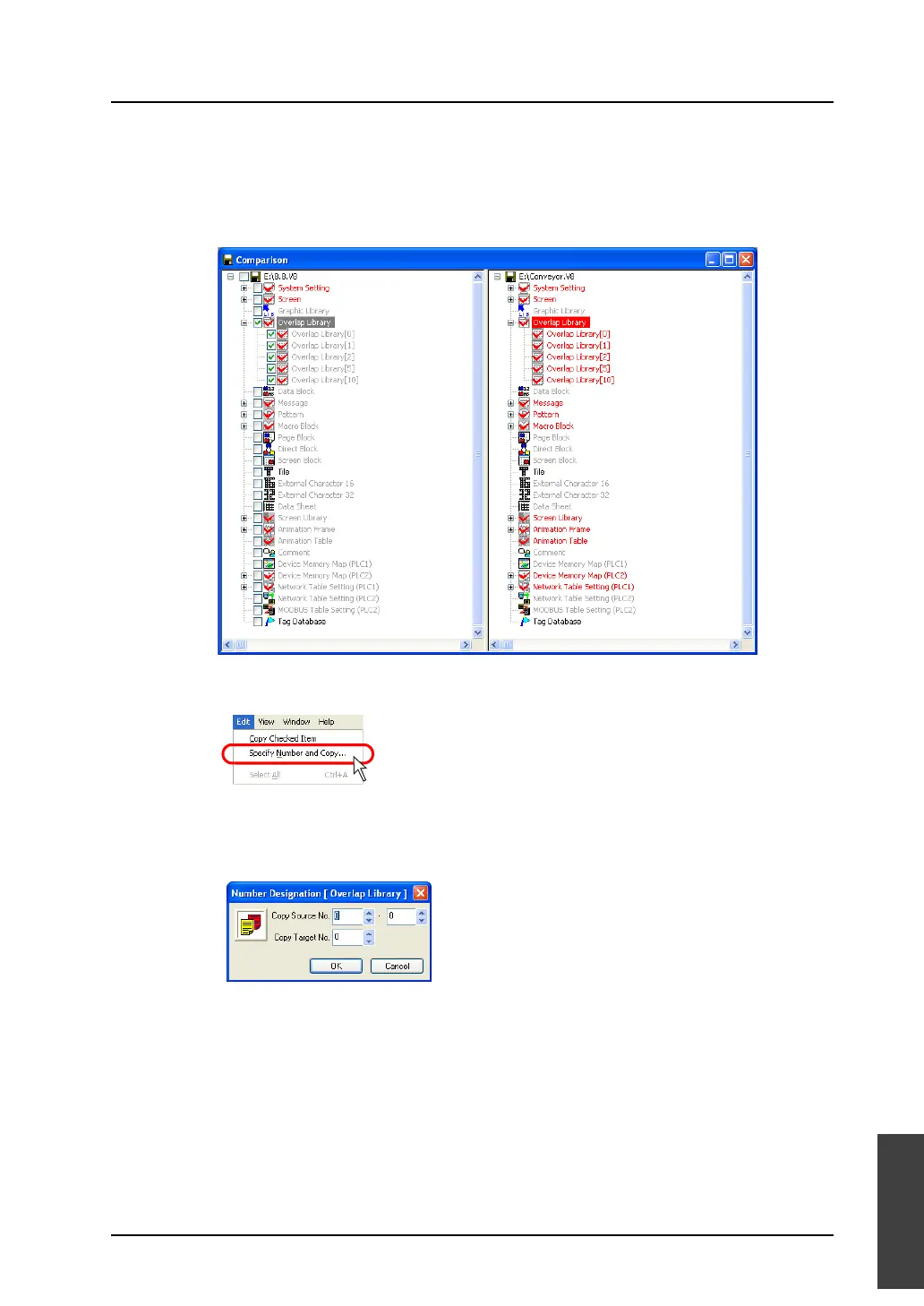
It is possible to copy multiple items in a batch by specifying their numbers.
(Target: All items except for items included in [System Setting])
1. Select the item to be copied in the copy source.
2. Select [Specify Number and Copy] from the [Edit] menu.
3. The [Number Designation] dialog is displayed.
Specify the desired numbers for [Copy Source] and [Copy Target], and click [OK].
Copying is executed.



 To Next Page