8.8 File Management
8-84
Dragging and dropping on the screen:
(Target: Screen, graphic library, overlap library, data block, data sheet, screen library, animation frame)
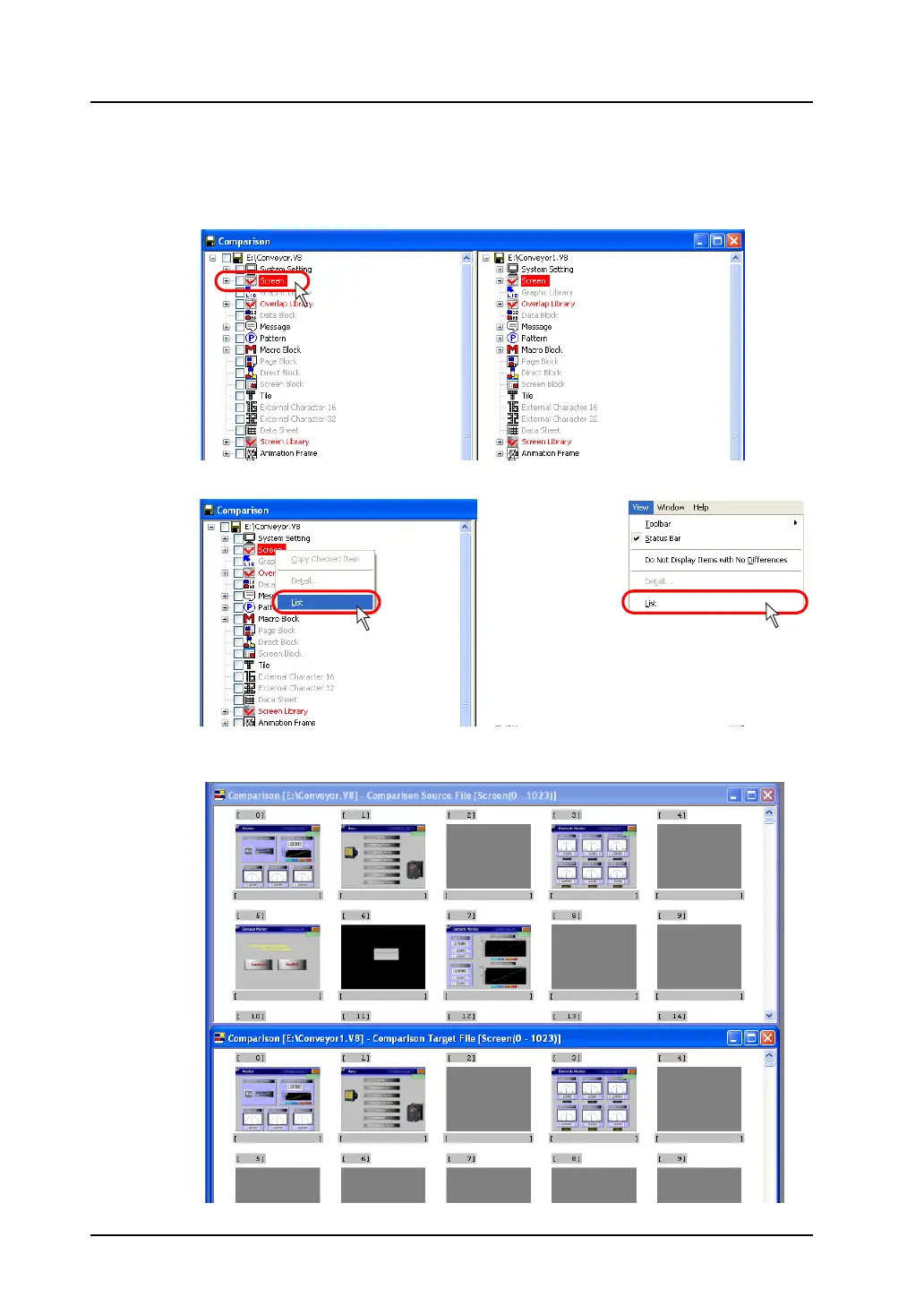
1. Select the item to be copied in the copy source.
2. Click [List] from the right-click menu or from the [View] menu.
3. The copy source and target files are displayed.
The source file window is placed above the other.
If necessary, scroll the file window until the desired number comes into view.
OR



 To Next Page