8.8 File Management
8-85
8
Useful Functions
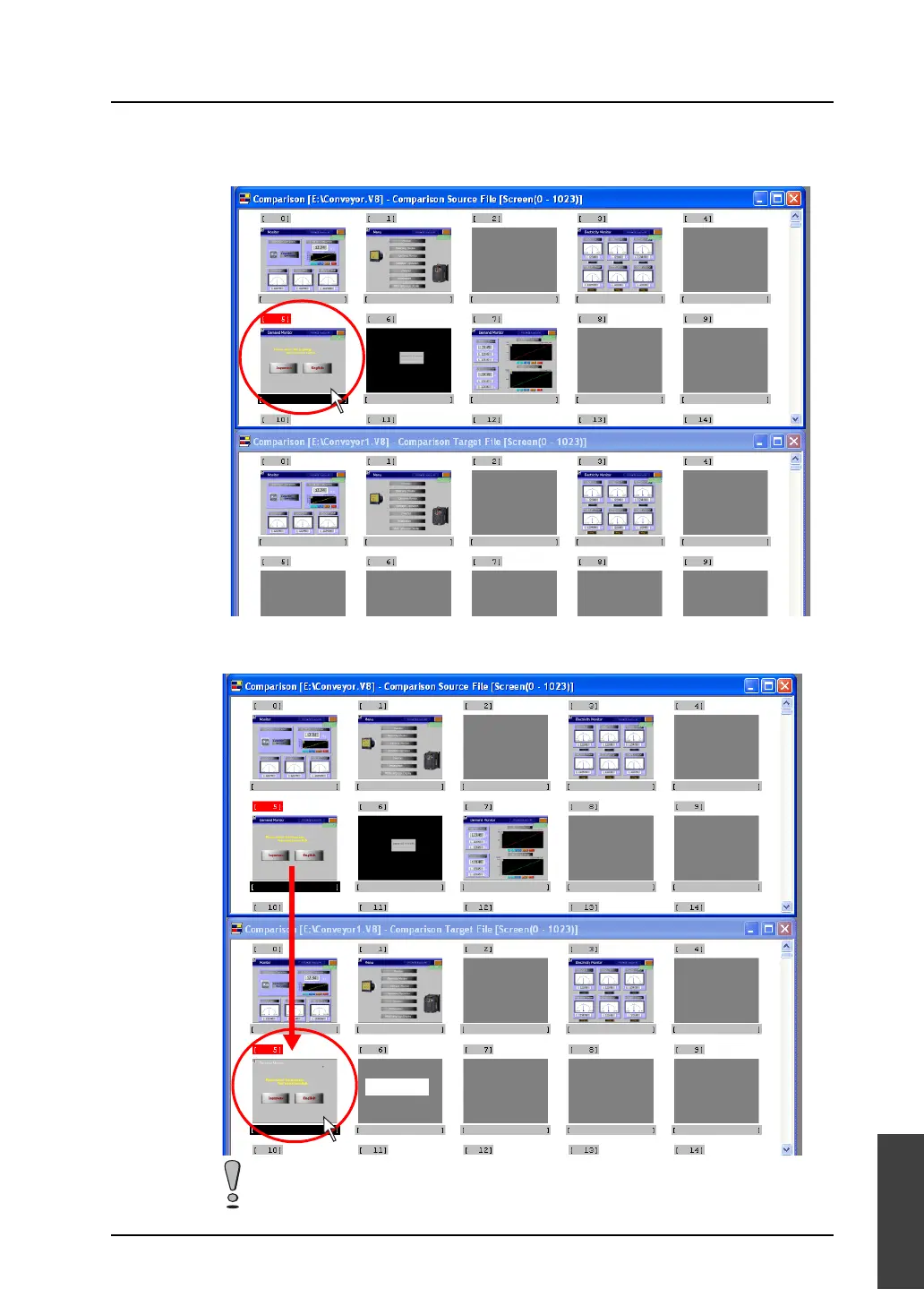
4. Click the screen to be copied in the source file window.
The screen number is highlighted in red.
5. Drag the selected screen to the desired target box number.
The copied screen is displayed in the target position by releasing the mouse.
In the case of a screen, only the screen is copied. The pattern or graphic library that is
used on the screen is not copied.
Drag.



 To Next Page