3.3 Basic Operation
3-18
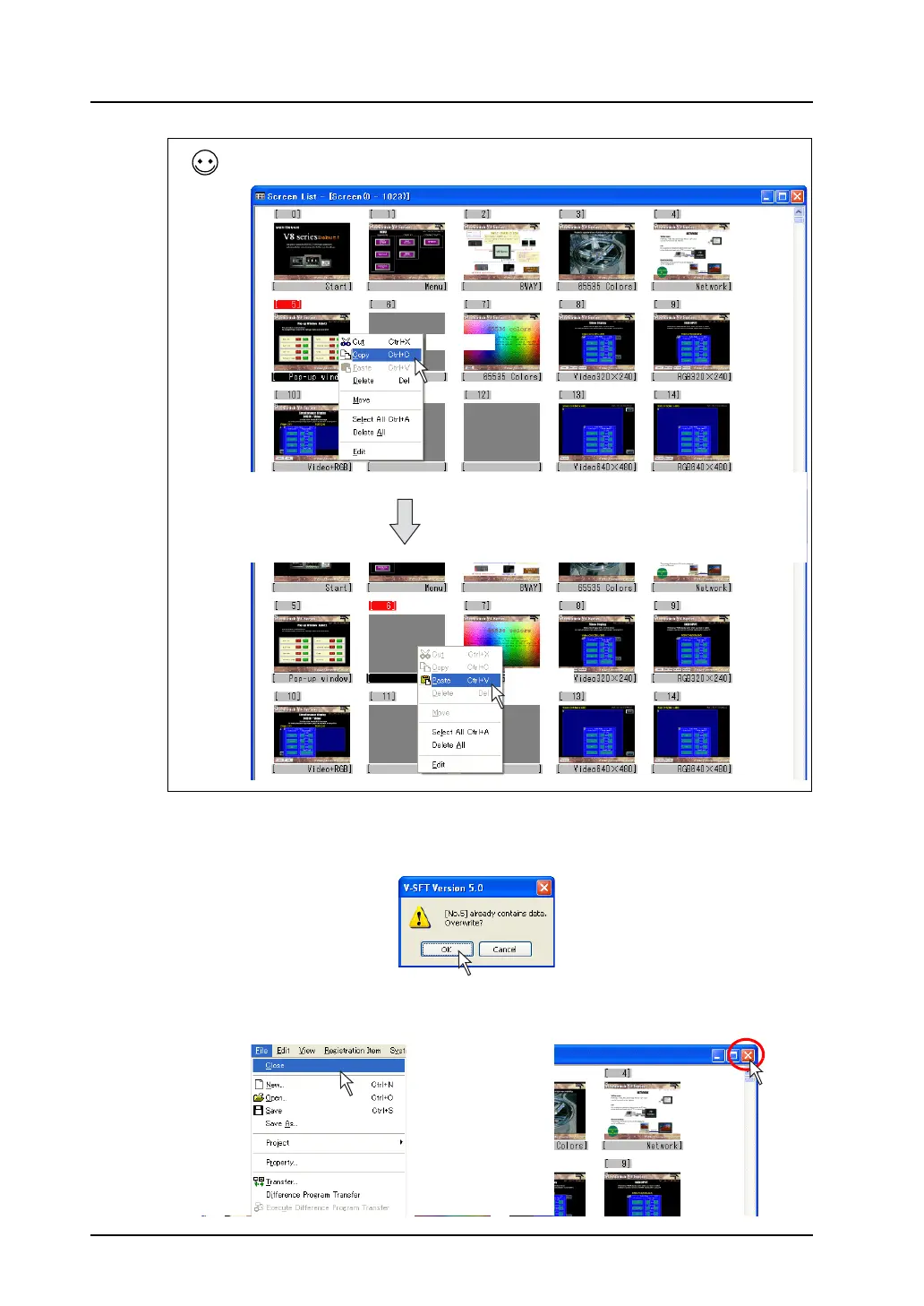
5. When a screen has already existed in the copy target, the overwrite confirmation message
appears.
If you allow to overwrite, click [OK].
6. Click [Close] from the [File] menu or click the [Close] icon.
The former screen is displayed again.
The screen can also be copied following the procedure below: right-click and click [Copy] while the
copy source is selected. Click the copy target and select [Paste] from the right-click menu.
Right-click.
Right-click.
OR



 To Next Page