4.3 Drawing Methods
4-25
4
Drawing
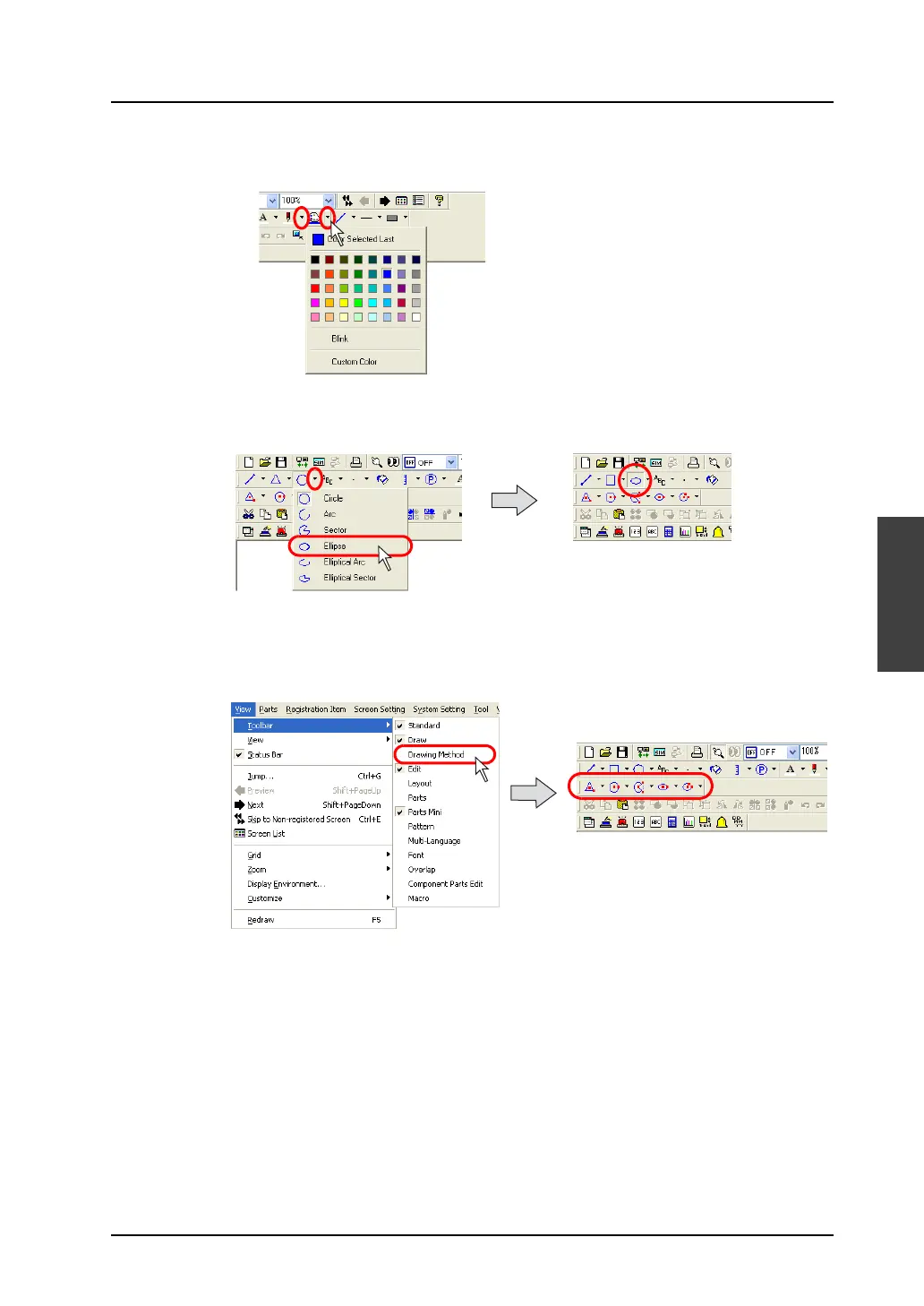
2. Likewise, select a frame color from the [Line Color/Frame Color] icon and a color of the frame
inside from the [Paint Color] icon.
3. Click the [Ellipse] icon on the toolbar.
The [Ellipse] icon is depressed and the mouse cursor is turned into a cross-shaped cursor.
4. Select the drawing method.
Click [View] → [Toolbar] → [Drawing Method].
The [Drawing Method] toolbar is displayed.



 To Next Page