4.3 Drawing Methods
4-47
4
Drawing
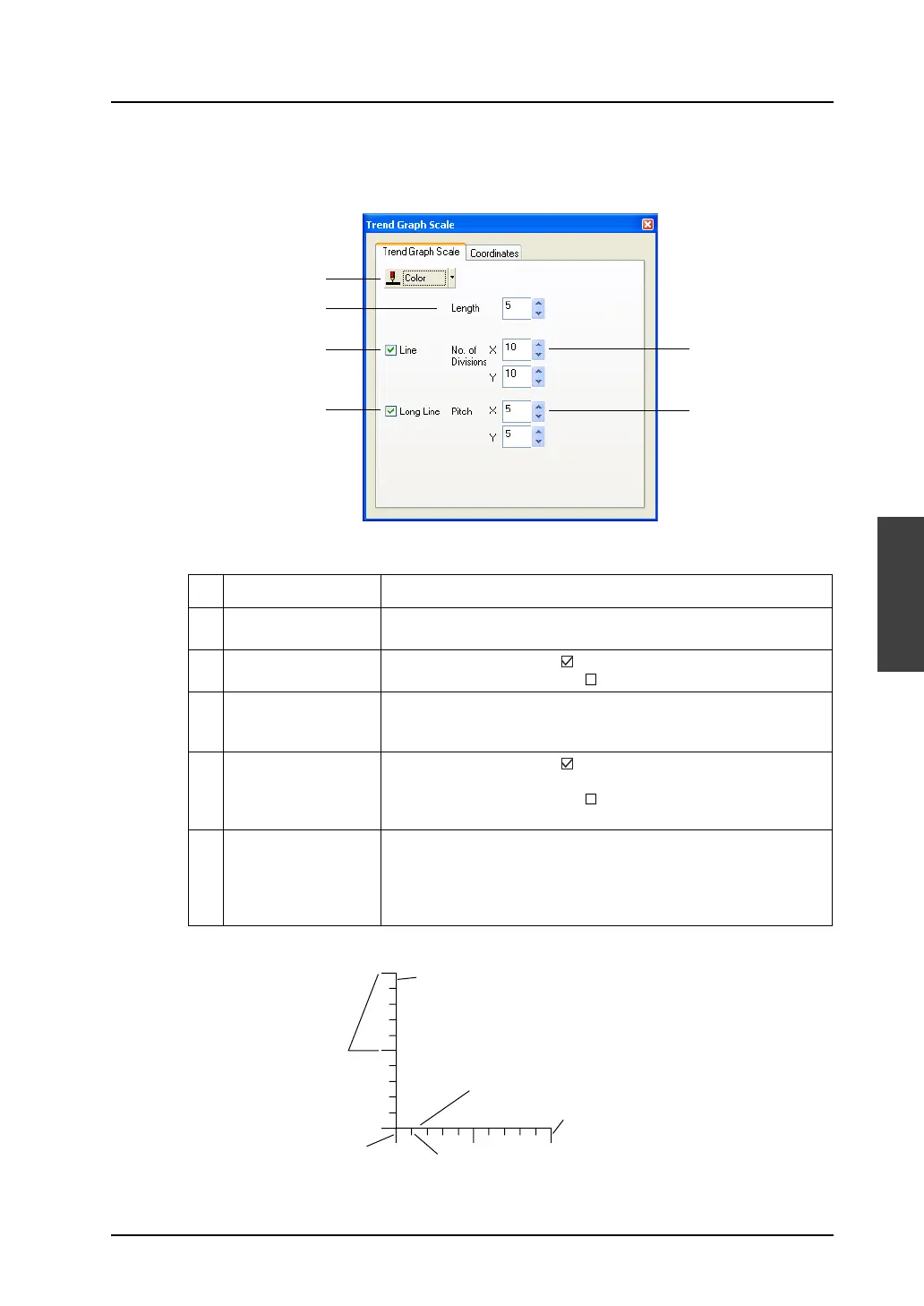
[Trend Graph Scale] dialog
Clicking (or double-clicking) the trend graph scale brings up the [Trend Graph Scale] dialog shown
below.
1 Color Choose a color for the trend graph scale.
2 Length (1 - 16) Set the length of short gradation marks. Enter the numerical value in
the data field, or set the desired value using the Up/Down button.
3 Line When this box is checked ( ), the scale is drawn with lines.
When this box is not checked ( ), the scale is drawn without lines.
4 No. of Divisions
(1 - 255)
Set the number of divisions of the scale. Enter the numerical value in
the data field, or set the desired value using the Up/Down button.
Separate settings for the X and Y axes are required.
5 Long Line When this box is checked ( ), long gradation marks are attached to
the scale at the specified pitch.
When this box is not checked ( ), long gradation marks are not
attached.
6 Pitch (1 - 16) This option is active when [Long Line] is checked.
Specify the pitch for long graduation marks. Enter the numerical
value in the data field, or set the desired value using the Up/Down
button.
Separate settings for the X and Y axes are required.
3
5
4
6
1
2
Pitch
Y axis (vertical)
Line
Long gradation mark
Short gradation mark
X axis (horizontal)



 To Next Page