4.3 Drawing Methods
4-52
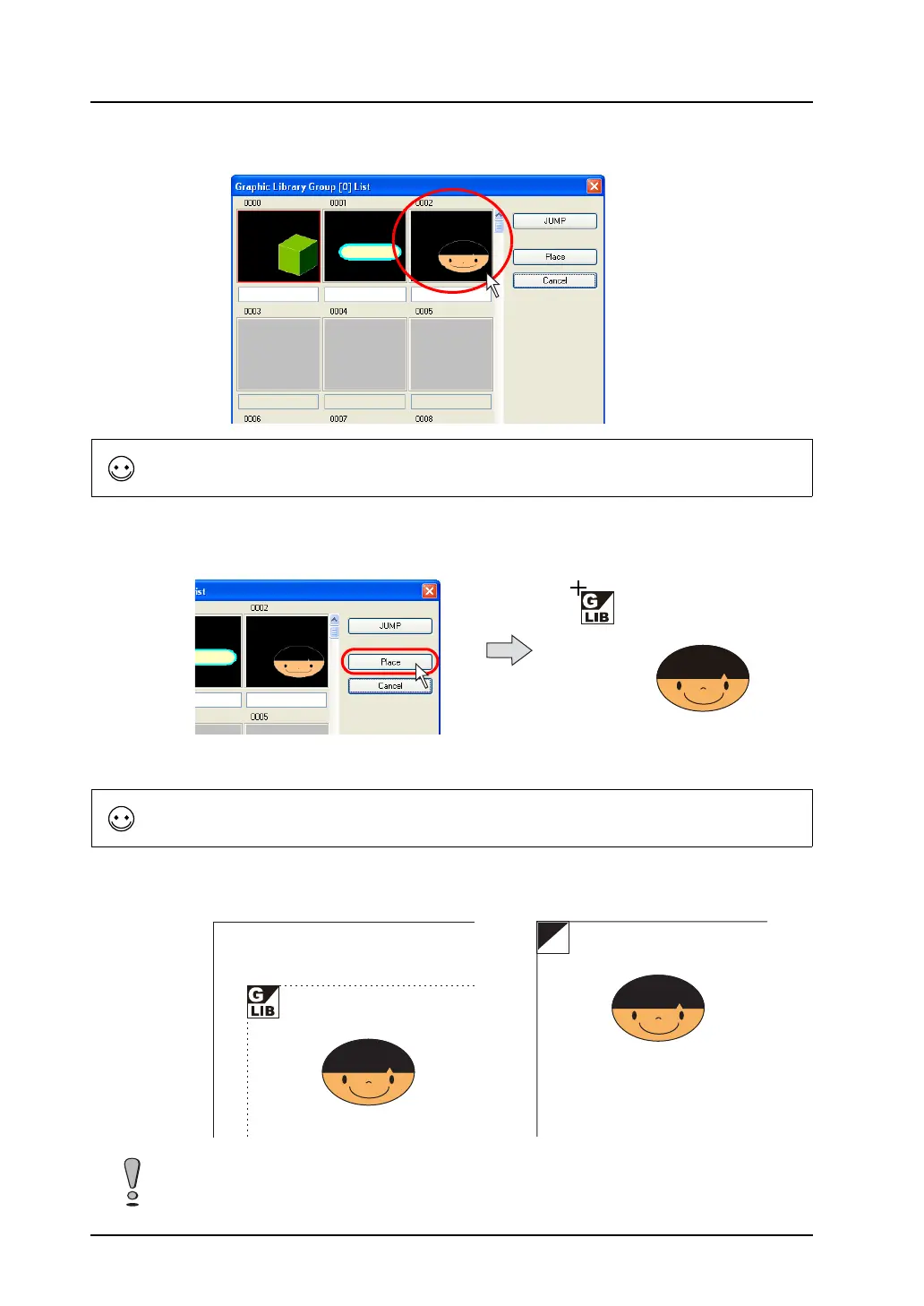
3. Click the desired graphic.
4. Click [Place].
A graphic call icon is displayed along with the cursor.
5. Click the mouse in the desired position. The graphic is placed with the [GLIB] mark at the clicked
position.
To call the desired graphic, click the [JUMP] button.
The reference position of placing a graphic is the “offset” position on the graphic library.
For more information on “offset,” refer to page 5-14.
OFF
“GLIB” position on the screen
“OFF” position in the graphic
library
=
To call a graphic that is called with the graphic call command using another graphic call command
(nesting), a maximum of eight nests is possible.



 To Next Page