4.3 Drawing Methods
4-56
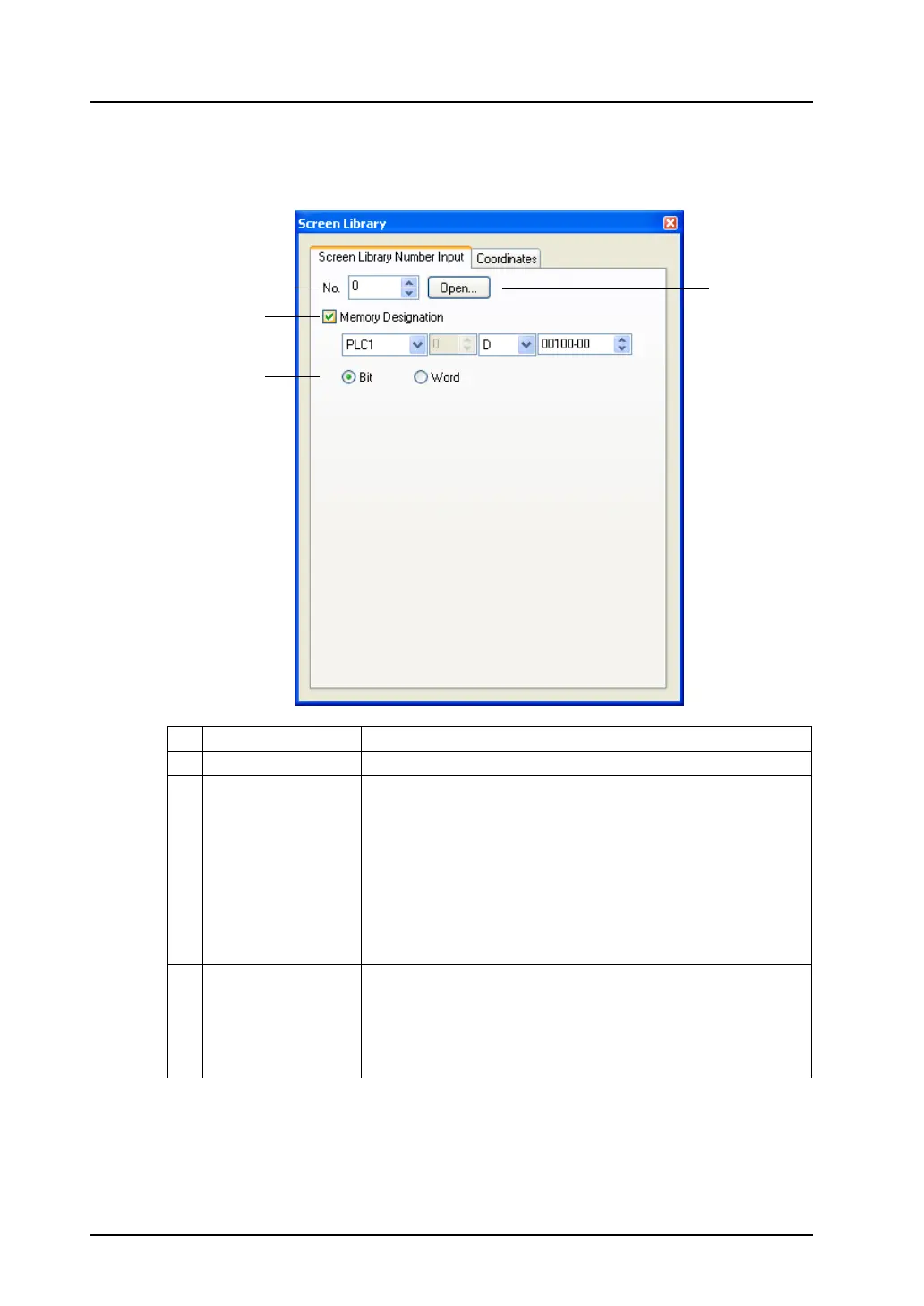
[Screen Library Number Input] tab window
When a screen selected from the screen library is placed, changing the screen library number or
showing/hiding the screen is executable according to memory designation.
1 Screen library number Enter your desired screen library number.
2 Open Pressing this button calls up the [Screen Library List] window.
3 Memory Designation Set the memory location for showing/hiding or changing the screen
selected from the screen library.
* When the memory location has been designated, screen
switching according to the memory designation takes place
at the time of redrawing. There are two methods of
redrawing the screen:
Method 1: Switch the screen.
Method 2: Execute the macro command RESET_SCRN.
(For more information, refer to the V Series
Macro Reference Manual.)
4 Bit/Word • Bit
When this option is checked, the screen is shown/hidden
according to bit setting/resetting.
•Word
When this option is checked, the screen is displayed according to
the screen library number directly specified.
3
4
1
2



 To Next Page