5.13 Direct Block
5-66
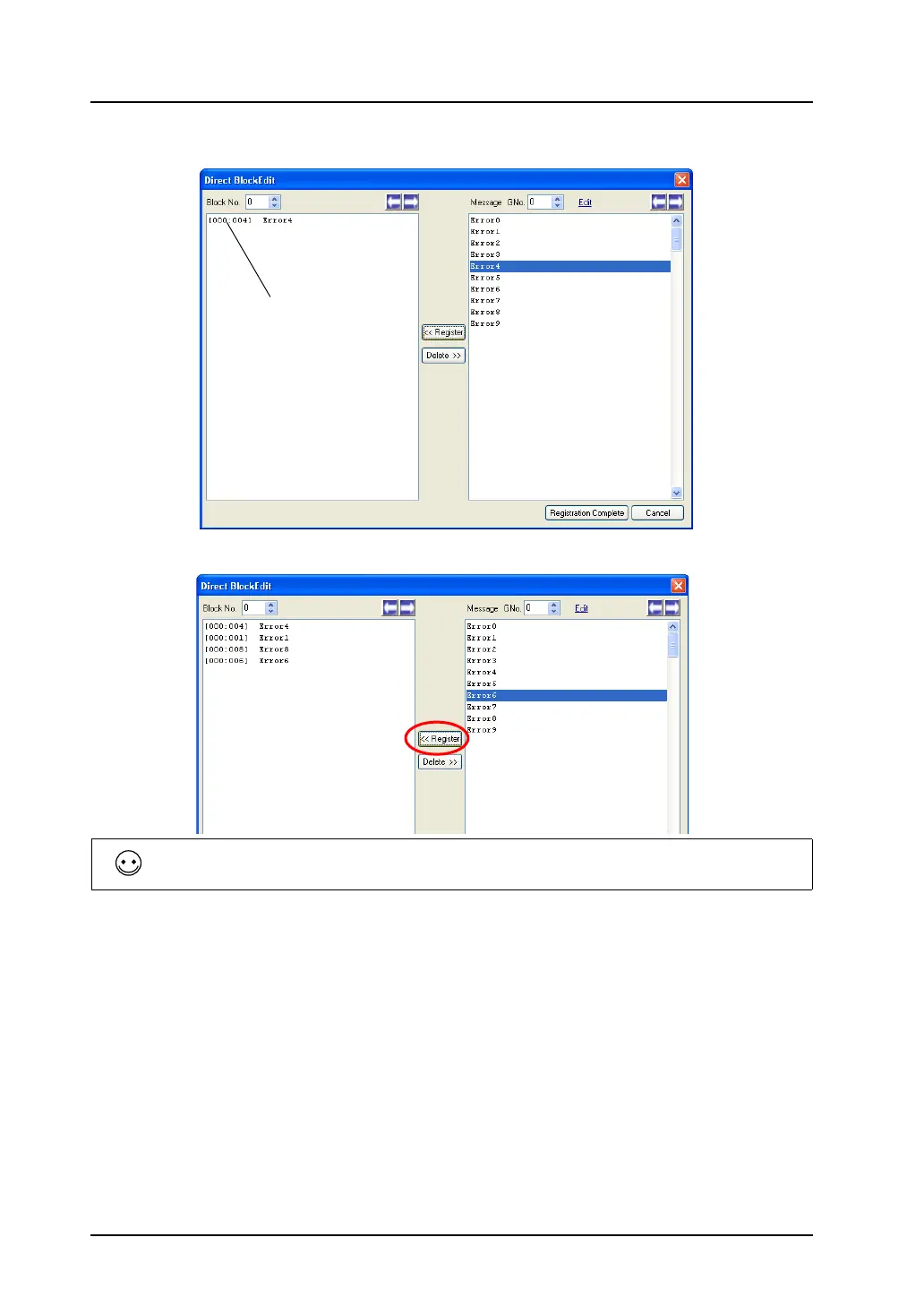
3. In the left area under [Block No.], the selected messages are registered.
4. To proceed with the next message registration, click the message and then the [Register] button.
5. To proceed with block No. 1 registration (and after), increment the block number by one using the
“→” button provided on the right of [Block No.]. Then follow the above steps.
6. On completion of the registration, press the [Registration Complete] button.
(To cancel the registration, click the [Cancel] button.)
This step completes the direct block editing.
[Group No.: Line No.]
To select messages at the same time, hold down the Ctrl key and click your desired messages.



 To Next Page