6.4 Transfer Procedure (Using a Communication Cable)
6-25
6
Transfer with V8
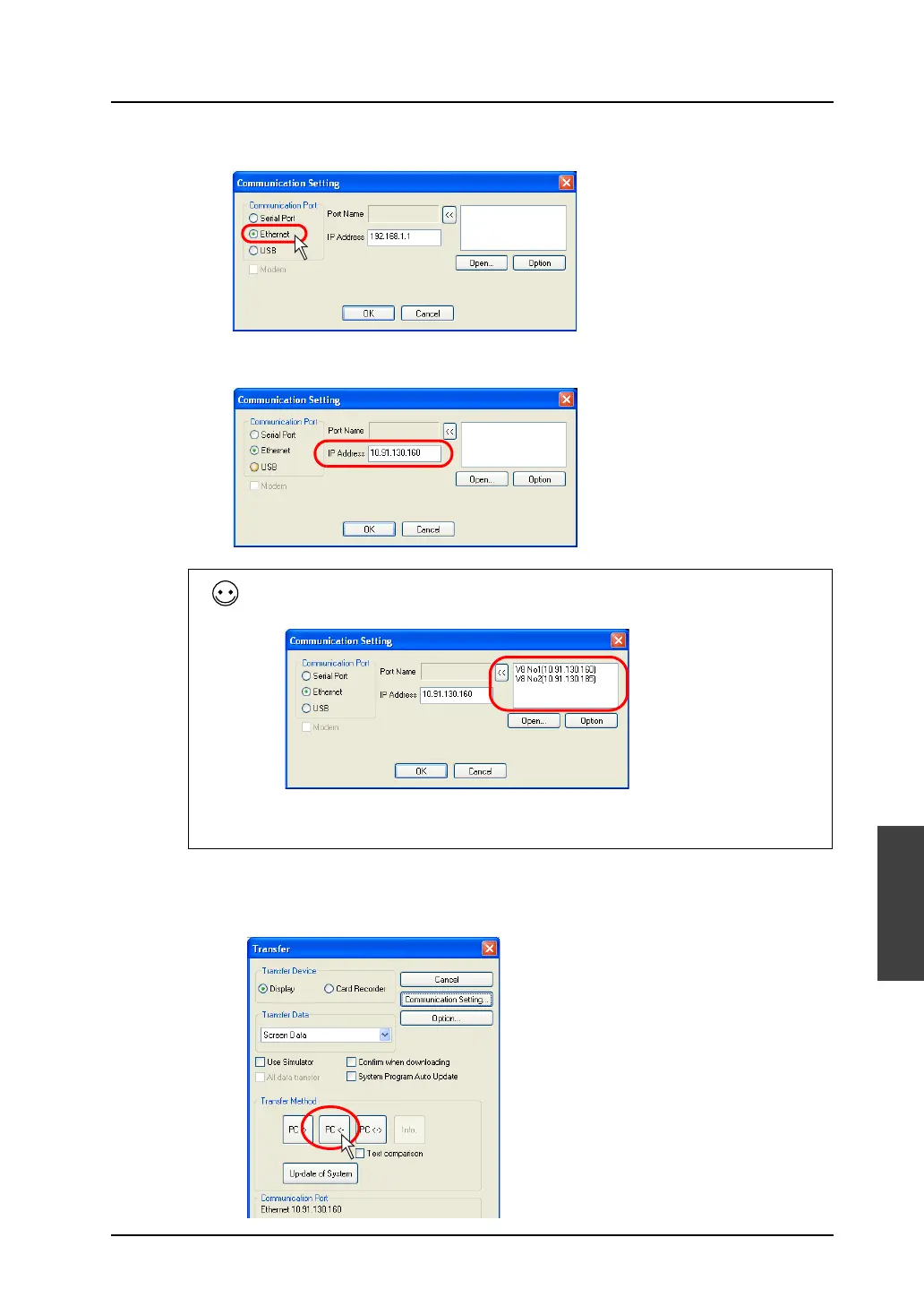
6. Select [Ethernet] for [Communication Port].
Specify the IP address of MONITOUCH for [IP Address].
7. When settings are completed, click [OK]. The former [Transfer] dialog is displayed again.
8. Click the [PC< -] button. Data transfer is started.
For the screen data where the network table has been set, the table contents are
displayed in the upper right field.
The IP address of the transfer target can also be selected from the table. Select the
target IP address and click the [<<] button. The IP address is set in the [IP Address] field.



 To Next Page