6.4 Transfer Procedure (Using a Communication Cable)
6-34
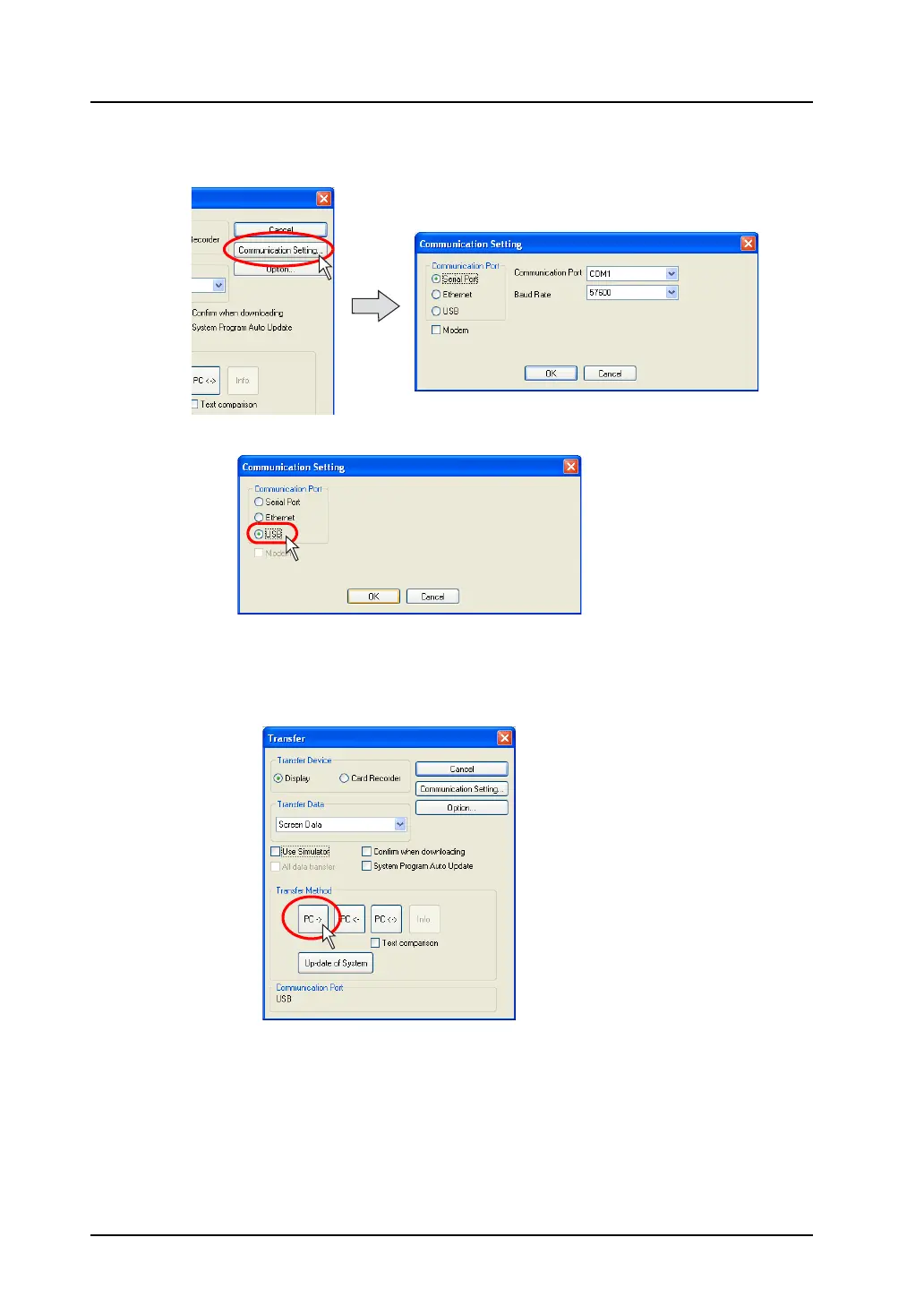
4. Click the [Communication Setting] button.
The [Communication Setting] dialog is displayed.
5. Select [USB] for [Communication Port].
6. When completing the setting, click [OK]. The former [Transfer] dialog is displayed again.
7. Click the [PC ->] button. Data transfer is started.



 To Next Page