8.6 Customizing the Toolbar
8-58
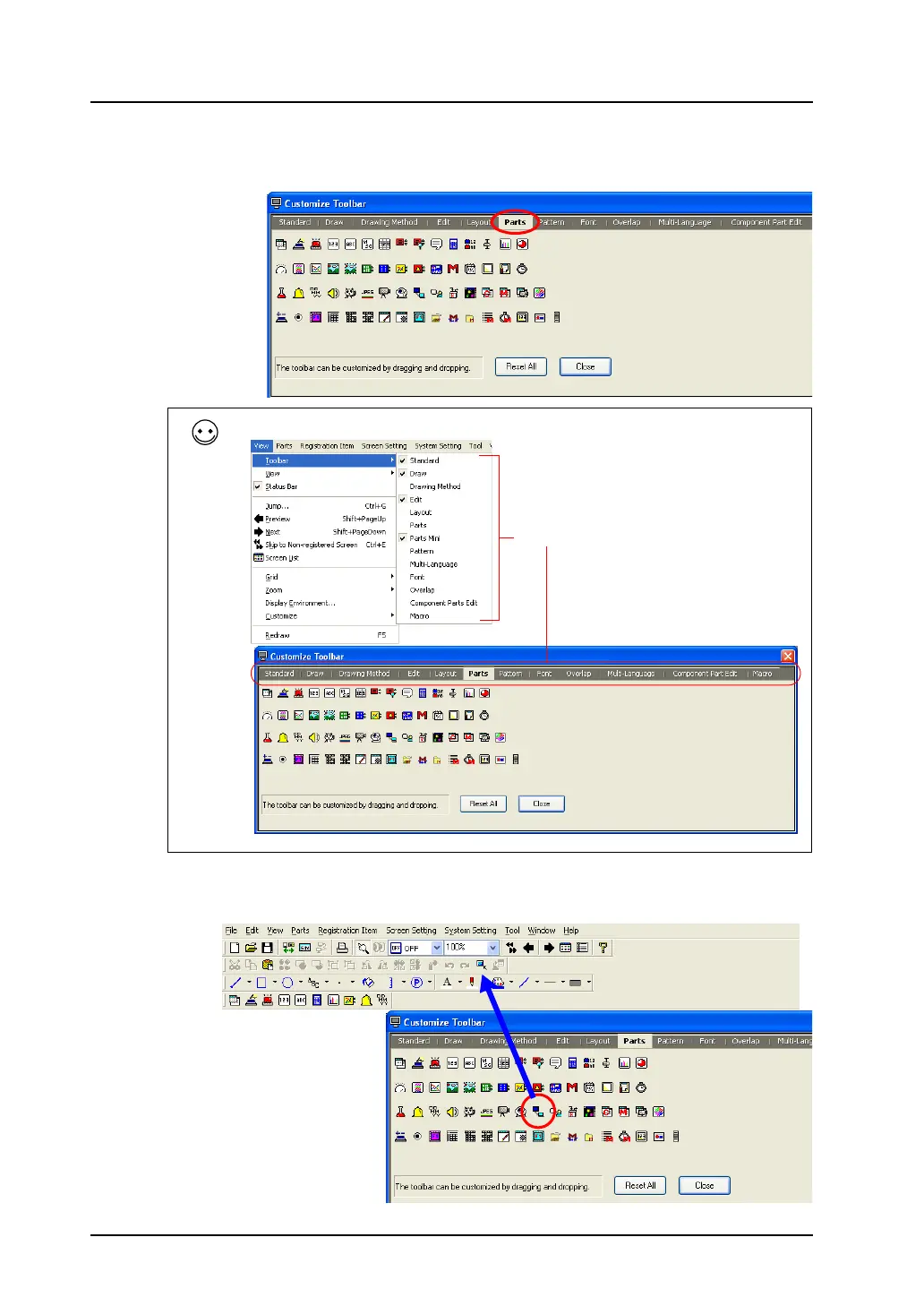
3. Click the [Parts] tab window.
Icons related to the [Parts] toolbar are listed.
4. You can add the desired icon on the toolbar by dragging and dropping.
Click the [Parts List] icon and drag it to the extreme right of the [Edit] toolbar.
Each tab window in the [Customize Toolbar] dialog is equivalent to the titles selected from [Toolbar].
Toolbar title
Drag.



 To Next Page