Language Entry Method
A1-11
A1
Font
6. Click [OK]. The German language is added (the indicator [DE German (Germany)] is added to the
types of IME).
The [Regional and Language Options] dialog is displayed again.
7. Click [OK] to close the dialog.
Text entry procedure
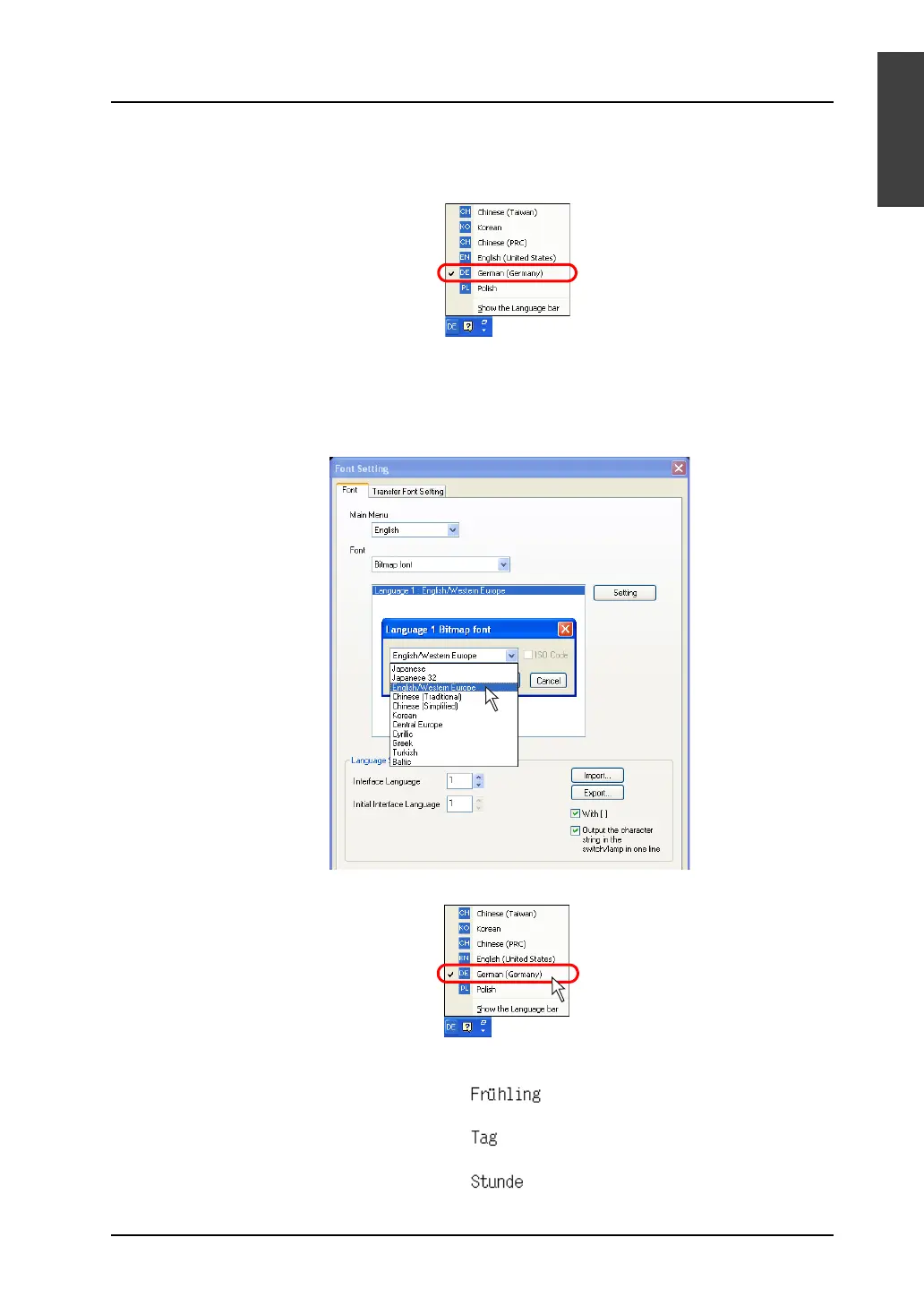
1. Start up the V-SFT version 5. Click [System Setting] → [Font Setting]. In the [Font Setting] dialog,
select [Bitmap font] under [Font] and [English/Western Europe] for [Language 1].
2. When editing items or entering text, select [DE German (Germany)] on the Windows XP’s IME bar.
3. Type German words and place them on the screen.
When typing in other languages, follow the same procedural steps.



 To Next Page