Windows Font
A1-34
*1 For details on the font registration file (with an extension *.txw), refer to the following page.
*2 If the txw file is lost, the registered text will be rebuilt from the screen data.
The text then will be registered in the order of the character codes.
Font registration file
At the time of storing screen data including Windows font setting, a file shown below will be stored in
the same place of the screen data.
xxxxxxxx.txw
This file stores the text registered through font registration. Whenever you store screen data, store the
font registration file at the same time. Be sure to make no changes to the file.
If the font registration file is lost or revised, the registered font data may be deleted or altered.
Registration will be required again in such a case.
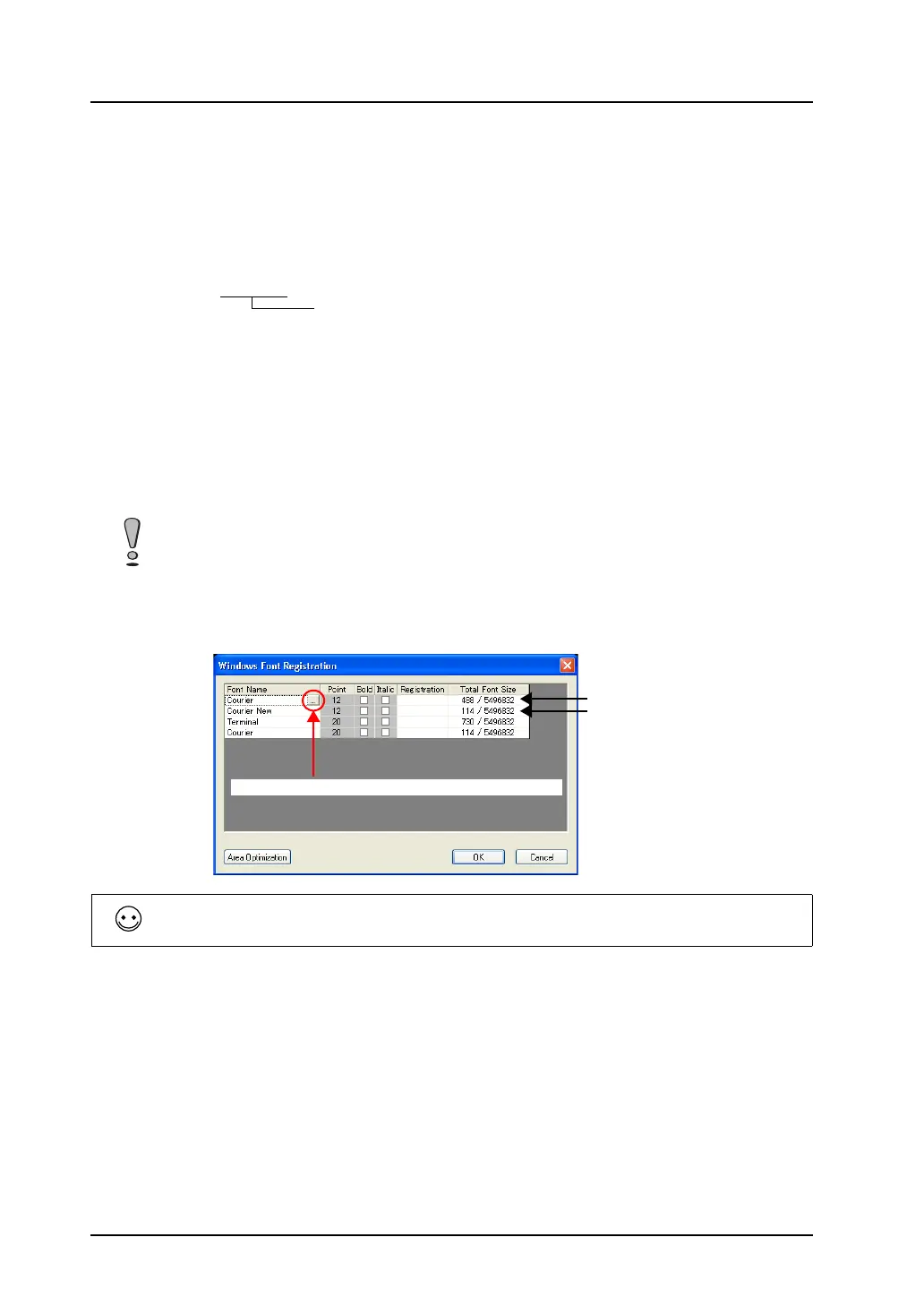
[Windows Font Registration] dialog
The [Windows Font Registration] dialog offers the list of the fonts registered in screen data and their
memory sizes.
You can also change the font names in the dialog.
• Location of the dialog
Click [Tool] → [Register Windows Font]. The [Windows Font Registration] dialog is displayed.
• [Area Optimization]
If any font is changed, the data size of the text is changed accordingly and the memory area is
optimized.
File given the same name as the screen data
The [Windows Font Registration] dialog lists only the fonts registered through [Windows Font
Registration] for character display parts. To see other Windows fonts used in graphics, etc., open
[Windows Font List].
Characters in different point
sizes must be registered
separately even though they
are in the same font.
Font name can be changed by double-clicking here.
Settings under [Point], [Bold], and [Italic] cannot be changed in the above dialog. If necessary, go to
the dialog for the part.



 To Next Page