3.4 Setting Menu
3-31
3
Screen Editing
How to change the display type
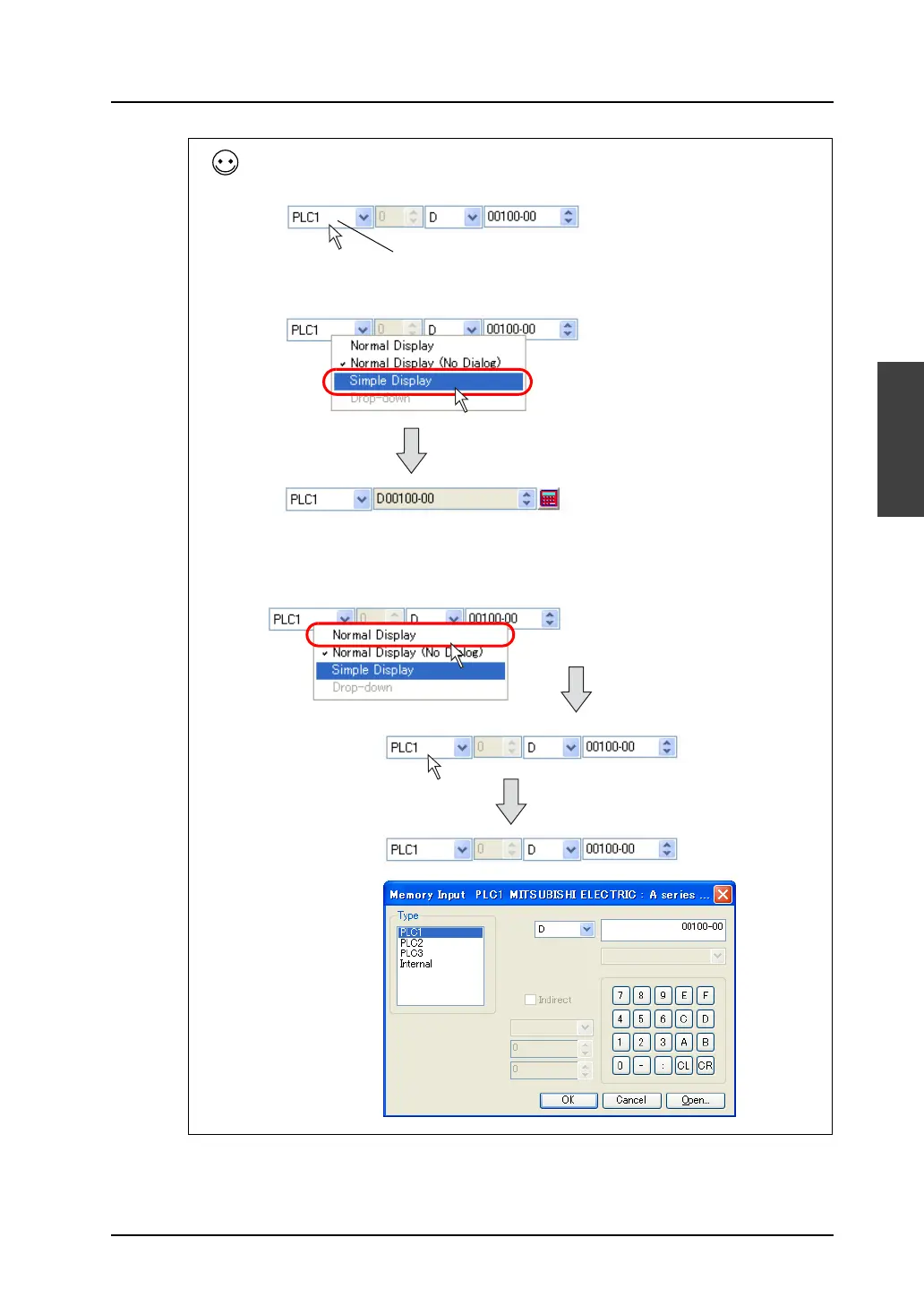
To change the display type between normal and simple display type, right-click the mouse close to the
memory type field.
The display types are shown in the pull-down menu. Select the desired type.
[Normal Type] provided here denotes [Normal Type (No Dialog)].
When [Normal Display] is selected, the appearance is the same as [Normal Display (No Dialog)];
however, [Memory Input] dialog appears every time the value is changed.
Right-click.
Click [Simple Display].
The display is changed to
the simple type.
In the case of [Normal Display]
[Memory Input] dialog is
displayed each time you click.
Click.



 To Next Page