3.7 Parts Placement and Setting
3-82
Placement from the parts list
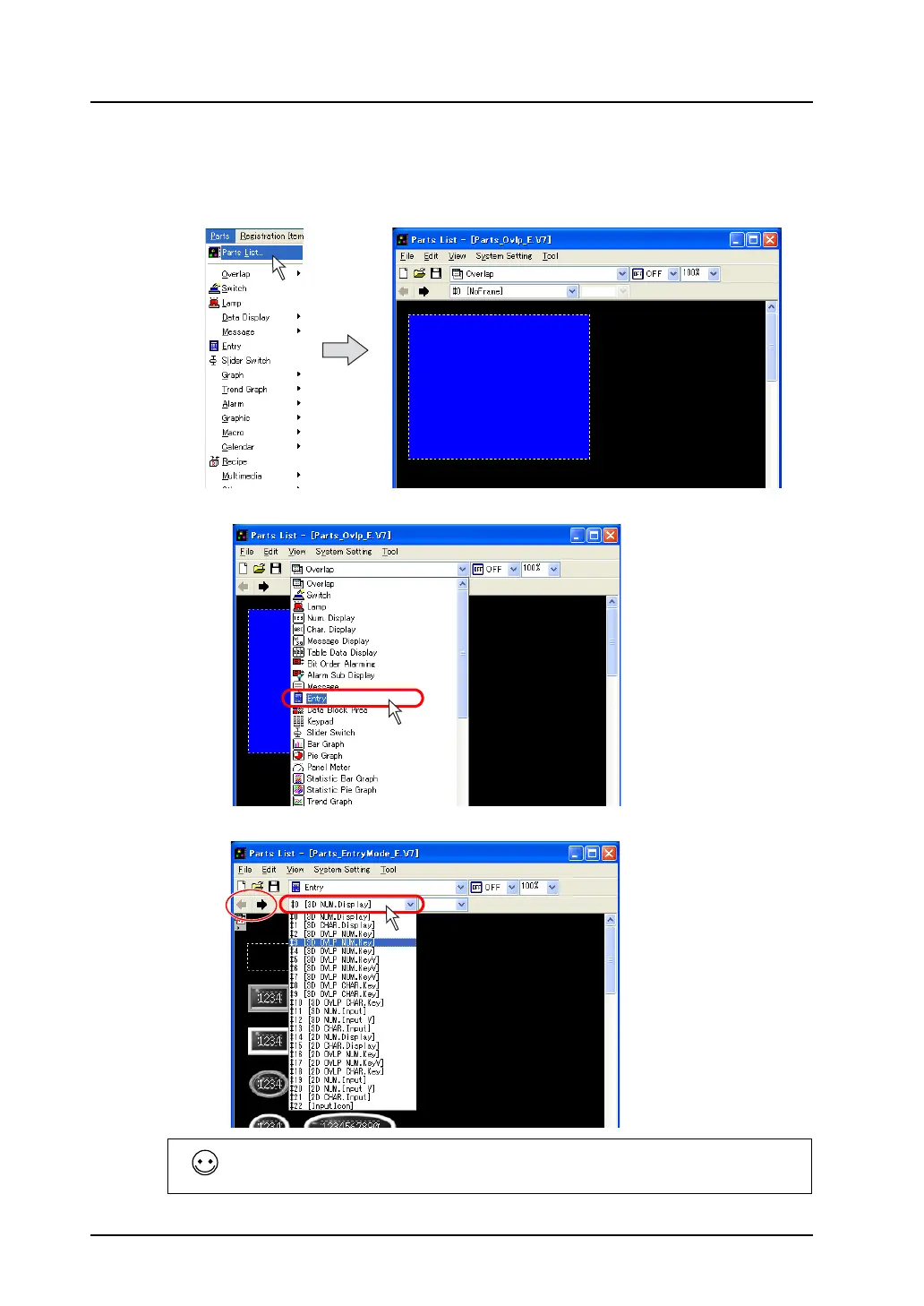
1. Bring up the parts list on the screen.
Select [Parts List] from the [Parts] menu.
The [Parts List] window opens.
2. Select [Entry] from the pull-down menu.
3. Find the desired part in the list changed with the arrow icon or from the pull-down menu.
The [Parts List] window offers various kinds of parts, for example, screens containing only numerical
data or character displays, containing numerical data or character displays linked to a keypad or a
keyboard, and containing a keypad placed on an overlap display.



 To Next Page