3.7 Parts Placement and Setting
3-83
3
Screen Editing
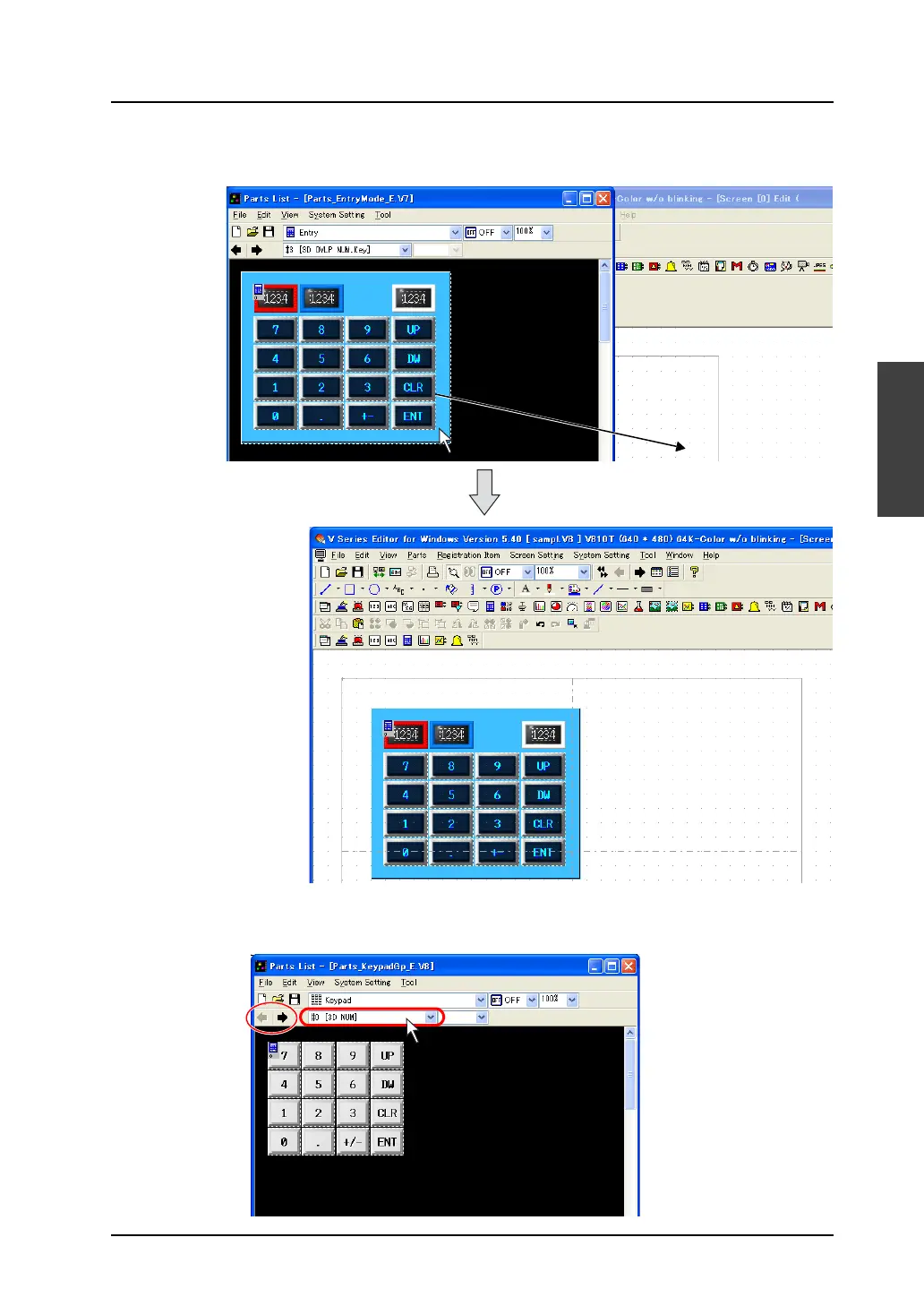
4. Select the desired item and drag it on the screen.
The part is placed on the screen.
5. In the [Parts List] window, there is also an option [Keypad]. Under [Keypad], you can select a
keypad from varied designs.
Select options according to your purpose.
Drag.



 To Next Page