4.3 Drawing Methods
4-11
4
Drawing
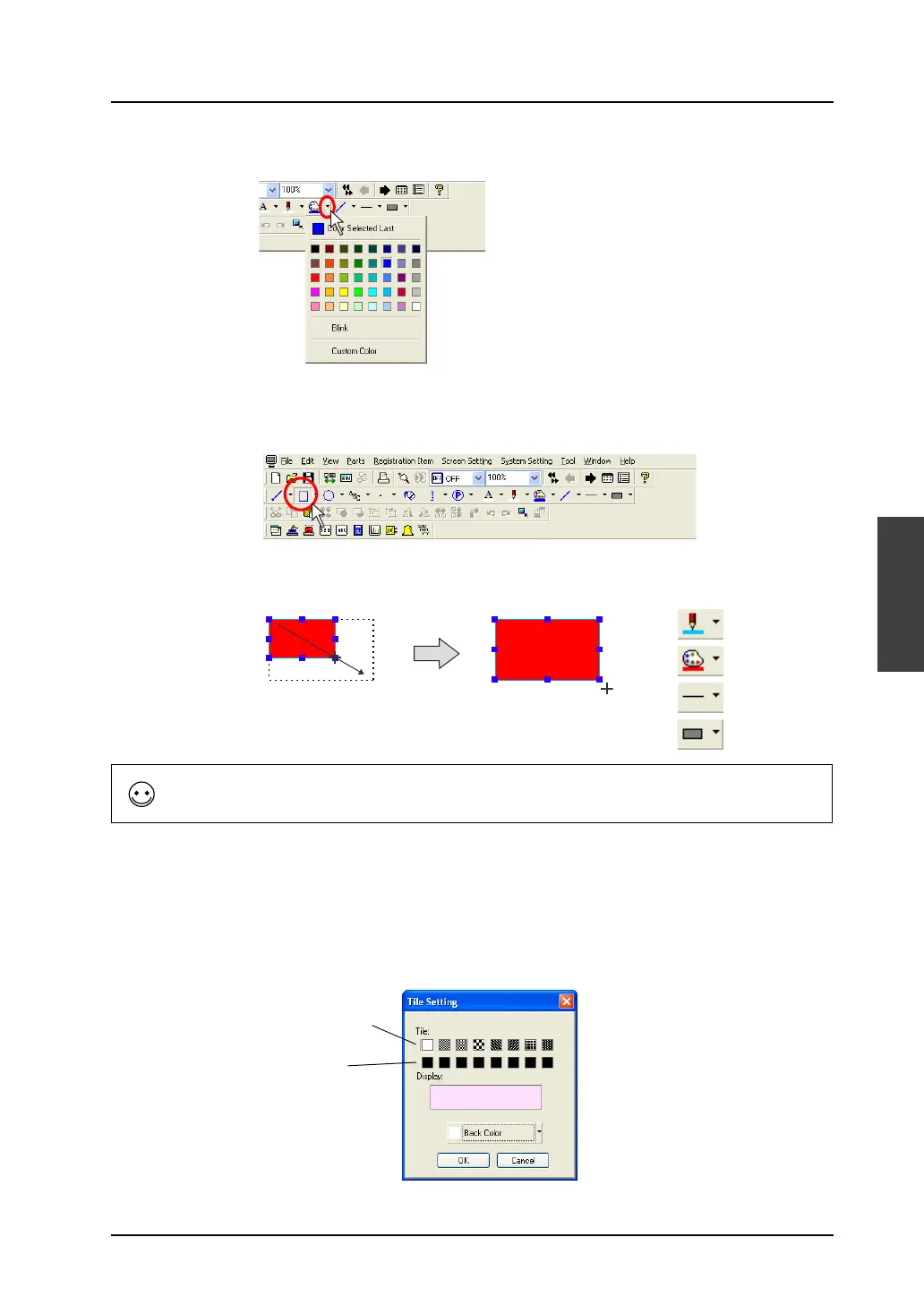
3. Select a paint color for inside the frame from the [Paint Color] icon.
4. Click the [Box] icon on the toolbar.
The [Box] icon is depressed and the mouse cursor is turned into a cross-shaped cursor.
5. Drag the mouse from the start point to the end point.
The box is drawn with properties set in steps 1. through 3.
6. To reset the drawing setting, right-click or click the mouse at the desired position on the screen.
By dragging the mouse again without resetting it, you can draw another box continuously.
Selecting a tile
Tiles can be selected when painting boxes or circles.
A maximum of 16 tiles can be used.
Eight tiles are registered as default.
Line Color
Paint Color
Line Type
Frame Type
Drag.
A rectangle can be drawn from any corner.
By dragging the mouse while holding down the SHIFT key, a square can be drawn.
Eight tiles as default
User-defined tiles
8 types



 To Next Page