4.3 Drawing Methods
4-13
4
Drawing
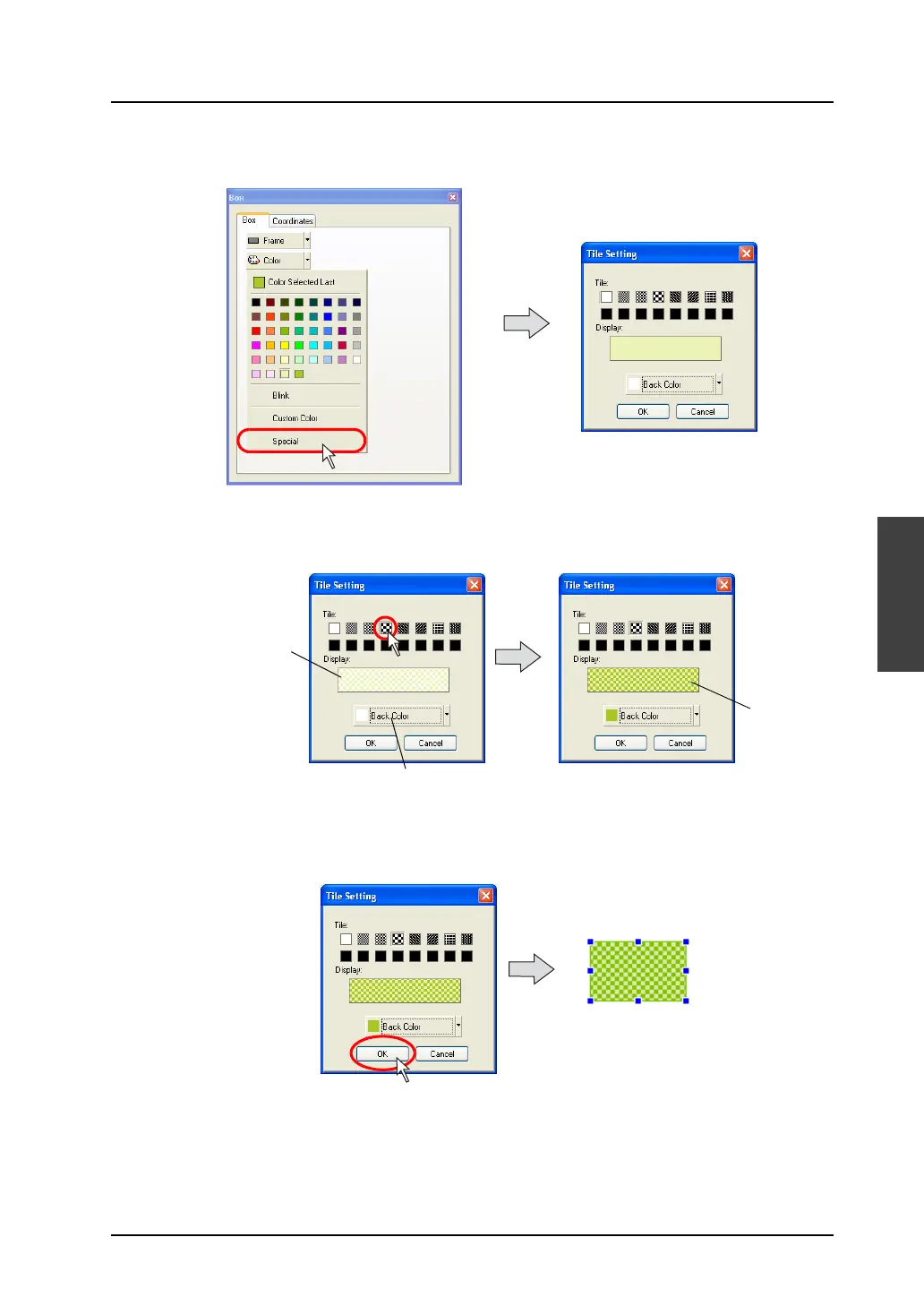
3. Click [Special].
The [Tile Setting] dialog is displayed.
4. Choose the desired tile from the [Tile] field in the dialog.
The tile whose color is those currently selected in [Color] and [Back Color] is displayed.
Choose a background color by clicking [Back Color] to make your desired tile pattern.
5. Click [OK] when the settings are complete.
The selected box item is painted with the tile you set.
Change [Back Color] as required.
The display
is changed.
The display is
changed according
to the selected tile.
The box is painted with the tile.



 To Next Page