4.3 Drawing Methods
4-22
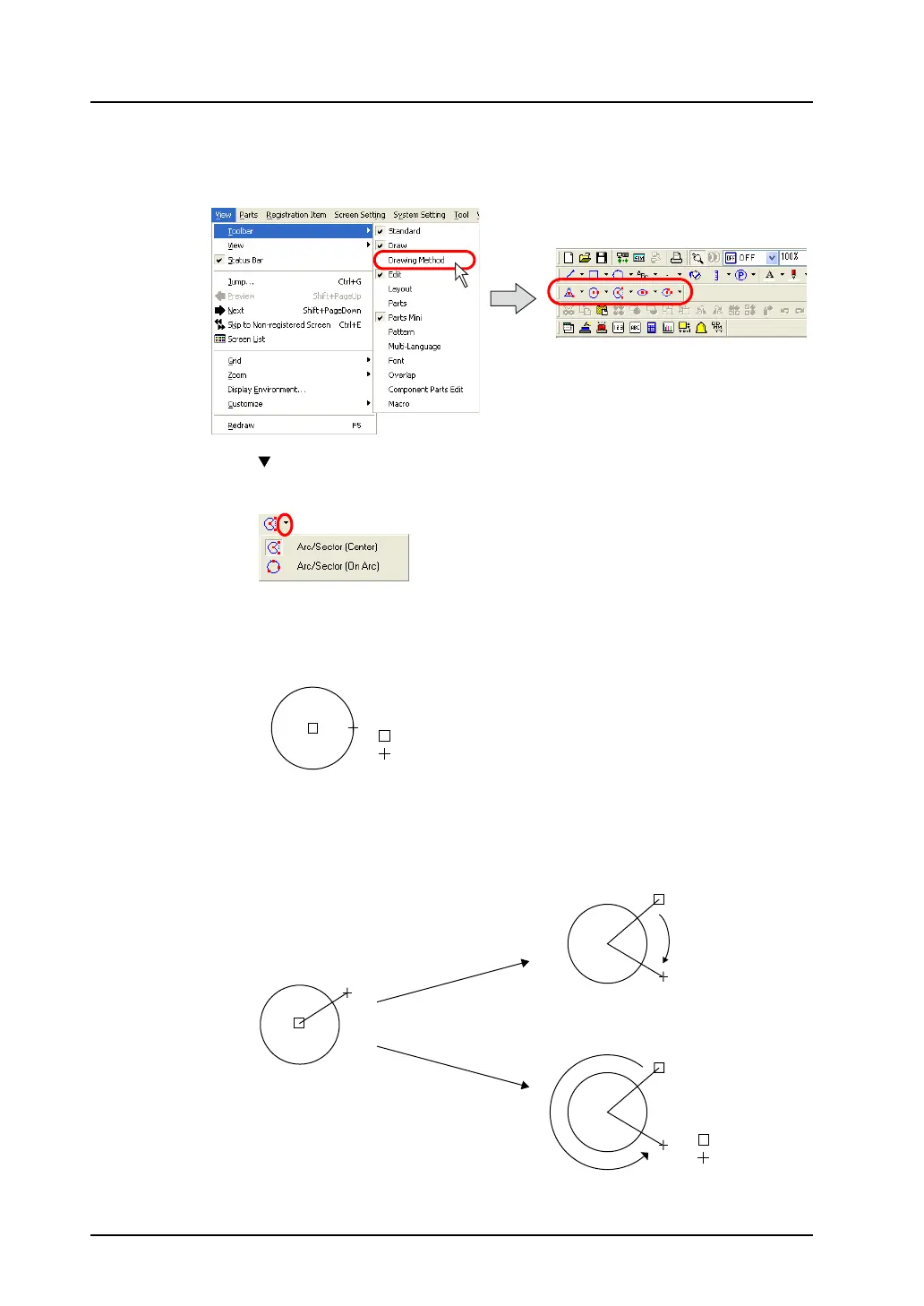
4. Select the drawing method.
Click [View] → [Toolbar] → [Drawing Method].
The [Drawing Method] toolbar is displayed.
5. Click the “ ” mark on the right of the [Arc/Sector] icon.
The pull-down menu is displayed.
Selects [Arc/Sector (Center)].
6. Drag from the center to the desired radius.
7. When you stop dragging, a line is displayed. Click the mouse at the start point of the arc or sector.
8. Move the cursor along the arc to the end point of the arc. The section drawn counter-clockwise
remains as an arc.
: Start point
: End point
: Start point
: End point
Clockwise
Counterclockwise



 To Next Page