4.3 Drawing Methods
4-44
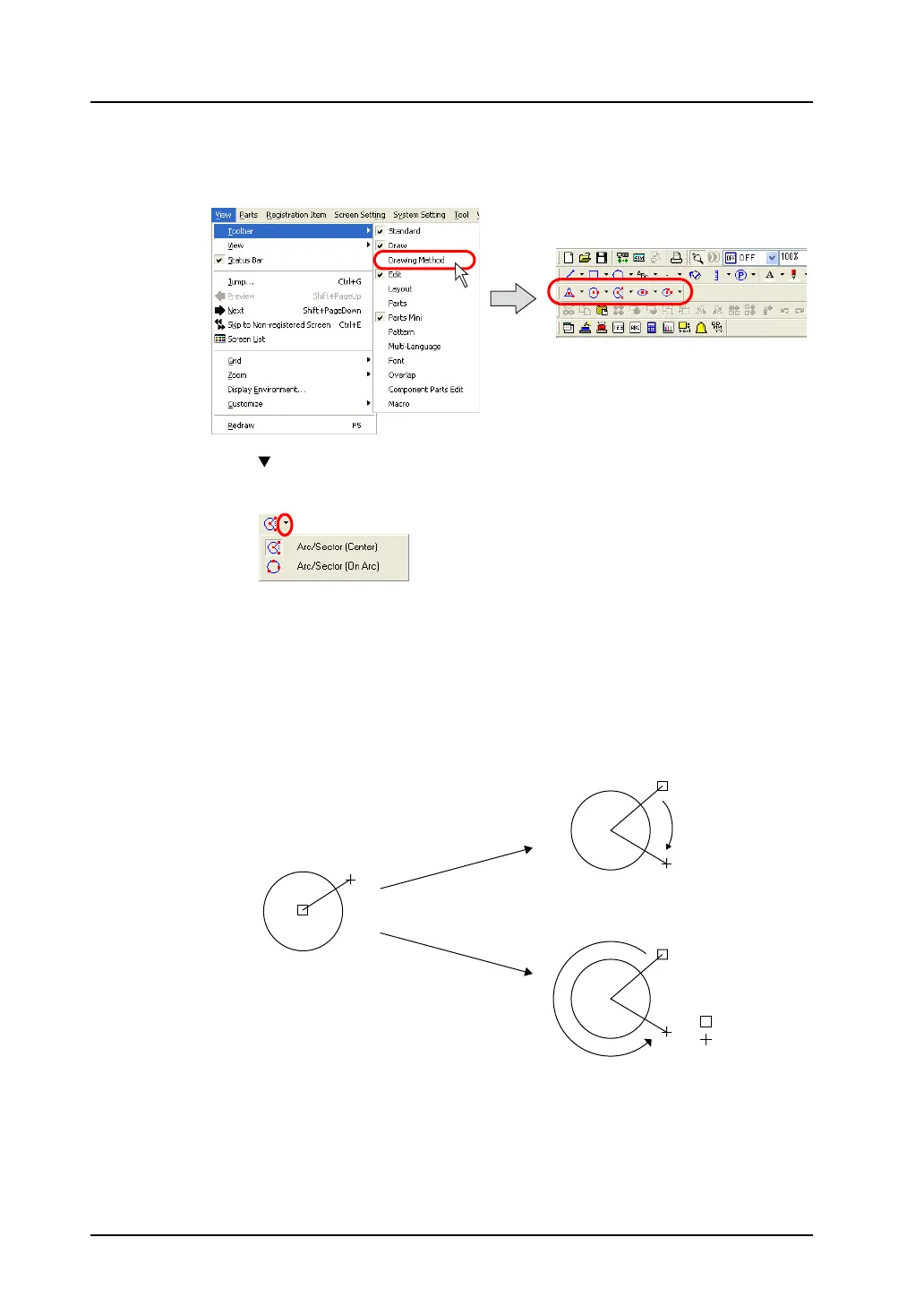
2. Select the drawing method.
Click [View] → [Toolbar] → [Drawing Method].
The [Drawing Method] toolbar is displayed.
3. Click the “ ” mark on the right of the [Arc/Sector] icon.
The pull-down menu is displayed.
Selects [Arc/Sector (Center)].
4. Drag from the center to the desired radius.
5. When you stop dragging, a line is displayed. Click the mouse at the start point of the arc.
6. Move the cursor clockwise (portion to be erased) or counter-clockwise (portion to be drawn) along
the arc, and click on the end point.
: Start point
: End point
Clockwise
Counterclockwise



 To Next Page