6.4 Transfer Procedure (Using a Communication Cable)
6-22
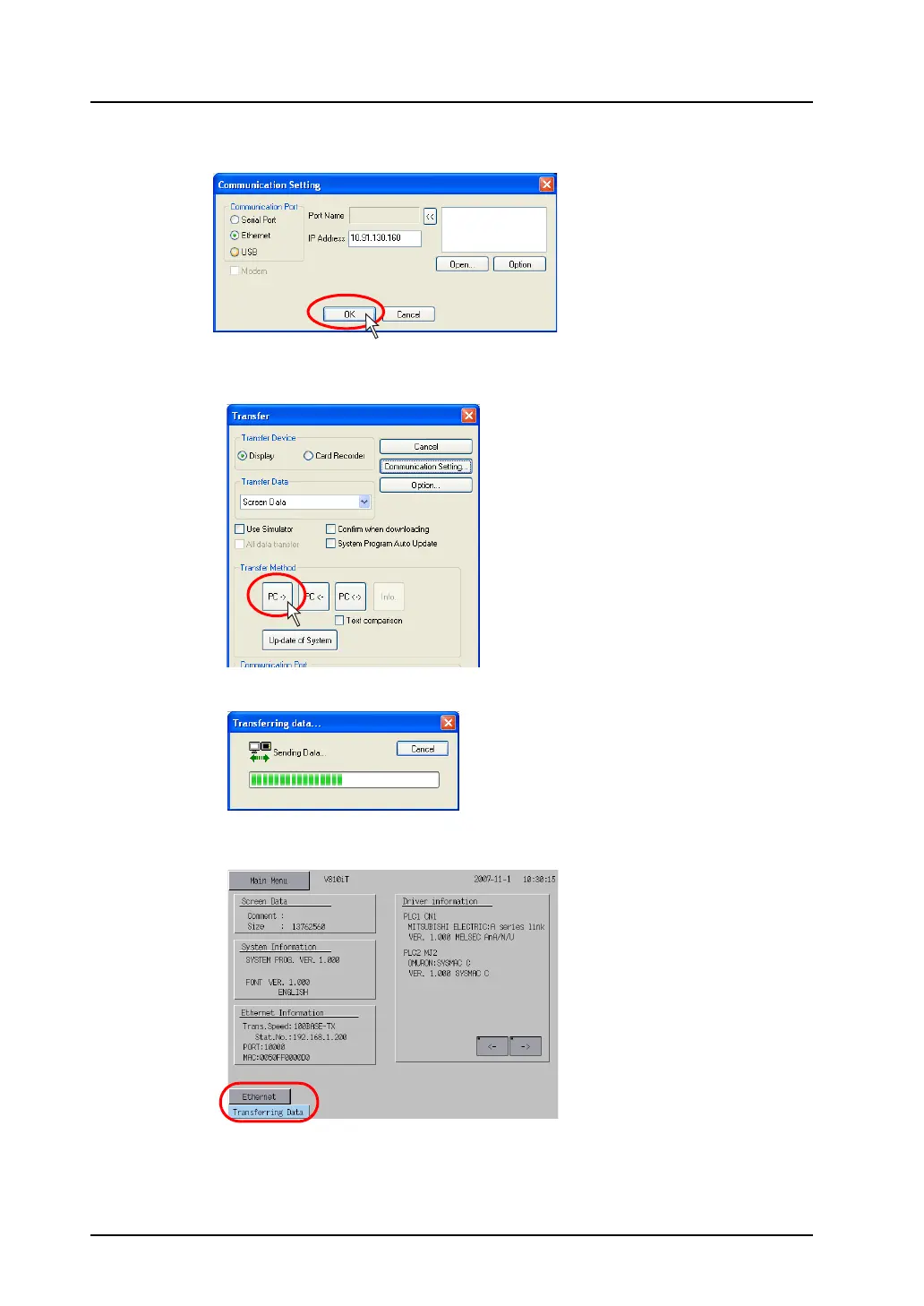
8. When settings are completed, click [OK]. The former [Transfer] dialog is displayed again.
9. Click the [PC ->] button. Data transfer is started.
10. During data transfer, the following dialog is displayed.
On MONITOUCH, the screen is changed to the Main Menu screen shown below.
11. When the data transfer is completed, the display indicating that the data transfer is in process
disappears.
Data transfer has been completed.



 To Next Page