6.4 Transfer Procedure (Using a Communication Cable)
6-23
6
Transfer with V8
To check if the Ethernet connection is correctly established, send a “PING” command from the
computer.
Checking method using a PING command
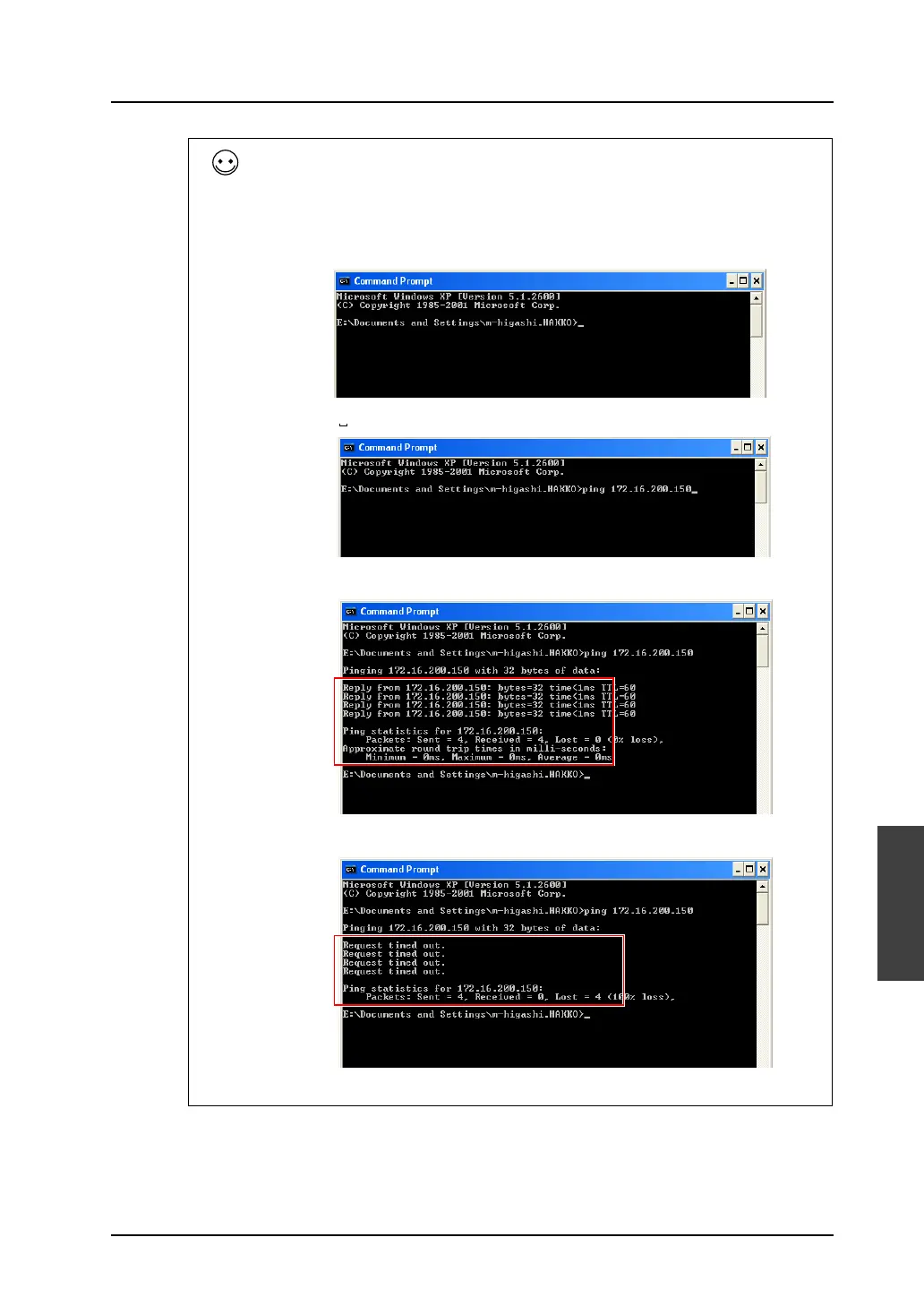
E.g.: When the IP address of MONITOUCH is set as “172.16.200.150”: Check on the computer if the
connection is correctly established.
Launch “Command Prompt” on the computer.
Key-in “PING 172.16.200.150” and press the [ENTER] key.
When the connection is established, the following results are shown.
When the connection is not established, the following results are shown.
In this case, check the IP address of MONITOUCH or the computer, or make sure that the connecting
cable is connected securely.
Connection
OK
Not
connected



 To Next Page