6.5 Transfer Procedure (Using a Card)
6-38
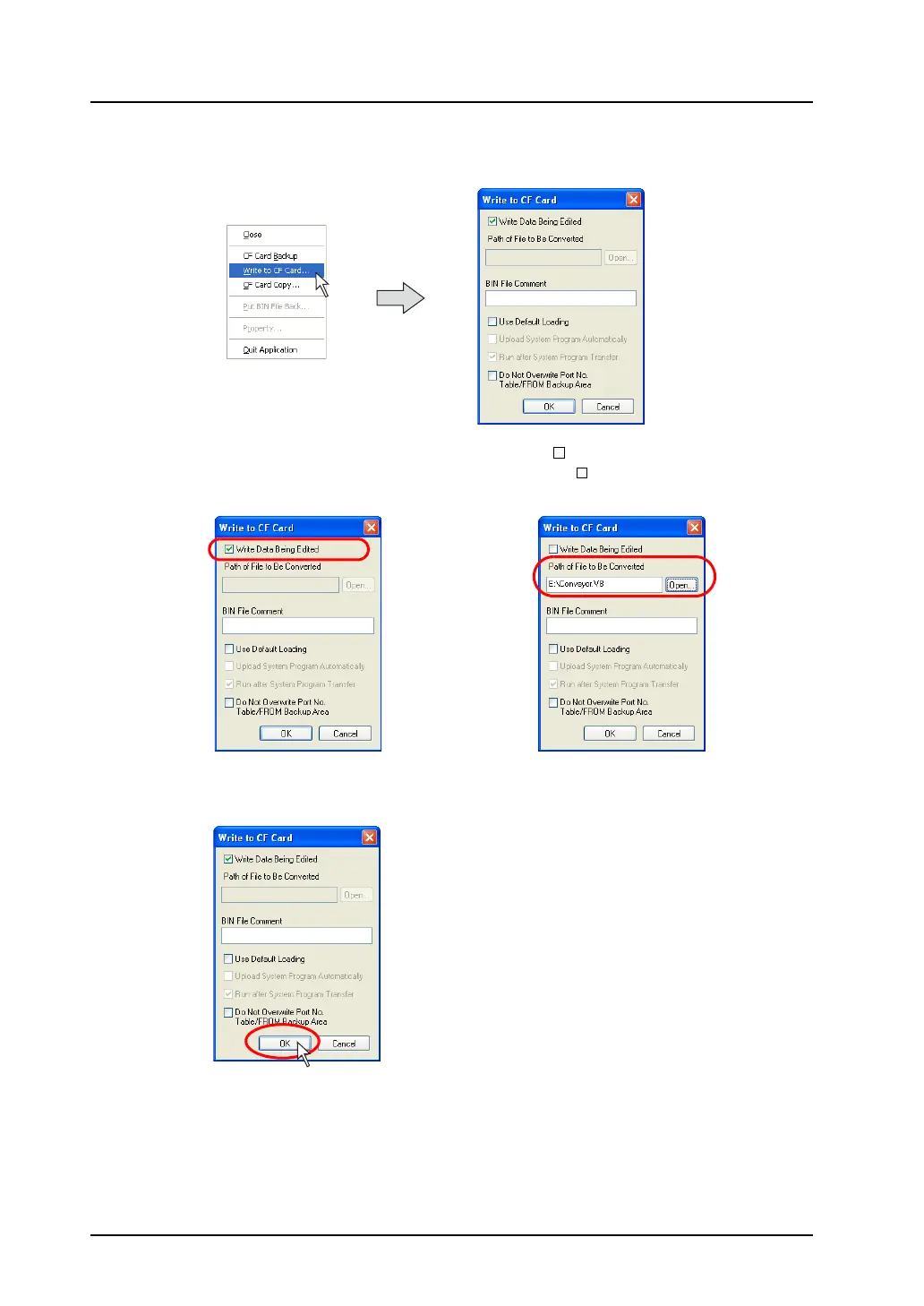
5) Click [Write to CF Card] selected from the [File] menu.
The [Write to CF Card] dialog is displayed.
6) When transferring the data currently opened, check [ Write Data Being Edited].
When selecting the screen data file as desired, uncheck [ Write Data Being Edited], and click
the [Open] button for [Path of File to Be Converted].
7) Click [OK].
The data is written to the CF card.
OR



 To Next Page