6.5 Transfer Procedure (Using a Card)
6-39
6
Transfer with V8
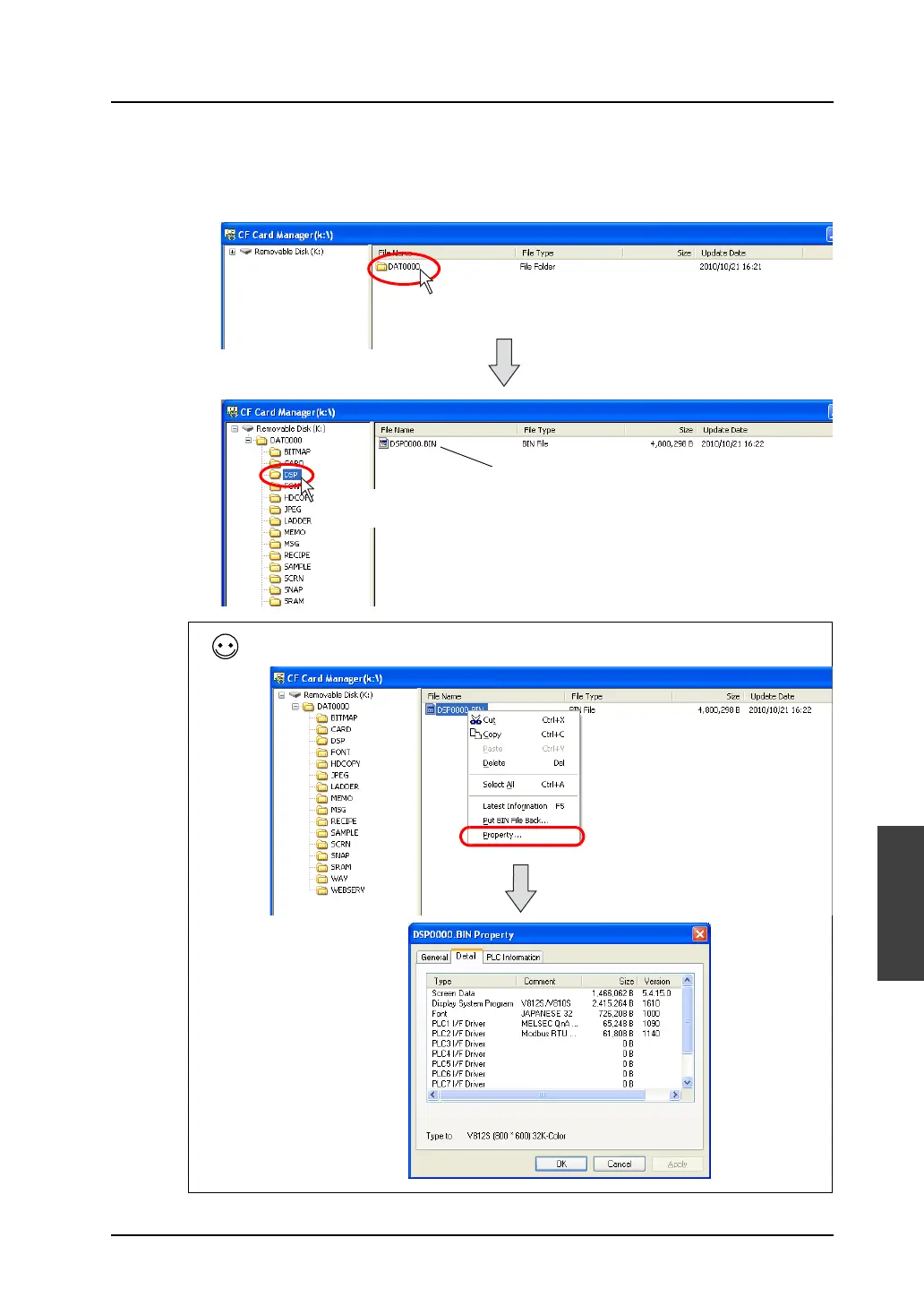
8) When writing is completed, the access folder is automatically created in the CF card.
In the “DSP” folder created in the access folder, you can find that the [DSP0000.BIN] file is
newly created.
This “DSP0000.BIN” file is the screen data file.
Select the BIN file and click [Property] from the right-click menu. Then you can check the details of the
file.
Double-click the folder.
Double-click the “DSP”
folder.
Screen data file



 To Next Page