8.1 Simulator
8-10
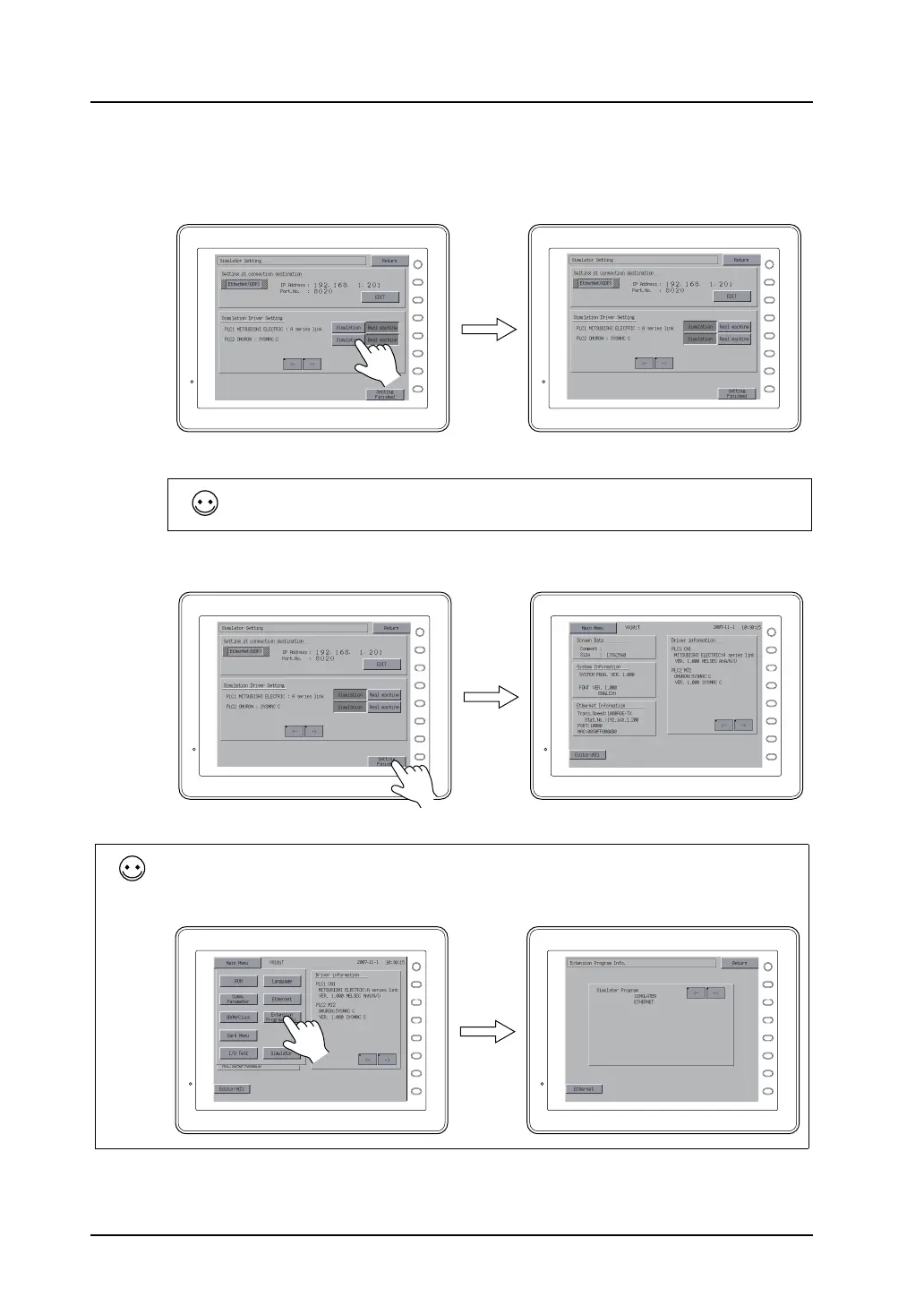
4. Go to the [Simulator Driver Setting] next. Specify for which device(s) you wish to run Simulator.
In the section of [Simulator Driver Setting], device names corresponding to the logical ports PLC1
to PLC8 are displayed, each of which is provided with the [Simulation] and [Real machine]
switches. Press the [Simulation] switch for a device to be checked by Simulator.
5. Press the [Setting Finished] switch. The Main Menu screen is displayed again.
F 1
F 2
F 3
F 4
F 5
F 6
F 7
SYSTEM
F 1
F 2
F 3
F 4
F 5
F 6
F 7
SYSTEM
When running Simulator for PLC1 and PLC2, for example, press the [Simulation] switches for both.
If you do not use Simulator, press the [Real machine] switch(es).
Resending the screen data is not necessary.
F 1
F 2
F 3
F 4
F 5
F 6
F 7
SYSTEM
F 1
F 2
F 3
F 4
F 5
F 6
F 7
SYSTEM
How to review the Simulator program version
Press the [Main Menu] switch and then the [Extension Program Info.] switch.
The Extension Program Info. screen is displayed.
The screen shows the Simulator program version and the kind of the program, [SERIAL], [ETHERNET], or [USB].
F 1
F 2
F 3
F 4
F 5
F 6
F 7
SYSTEM
F 1
F 2
F 3
F 4
F 5
F 6
F 7
SYSTEM



 To Next Page