64k- or 32k-color Type
A2-5
A2
3D Parts
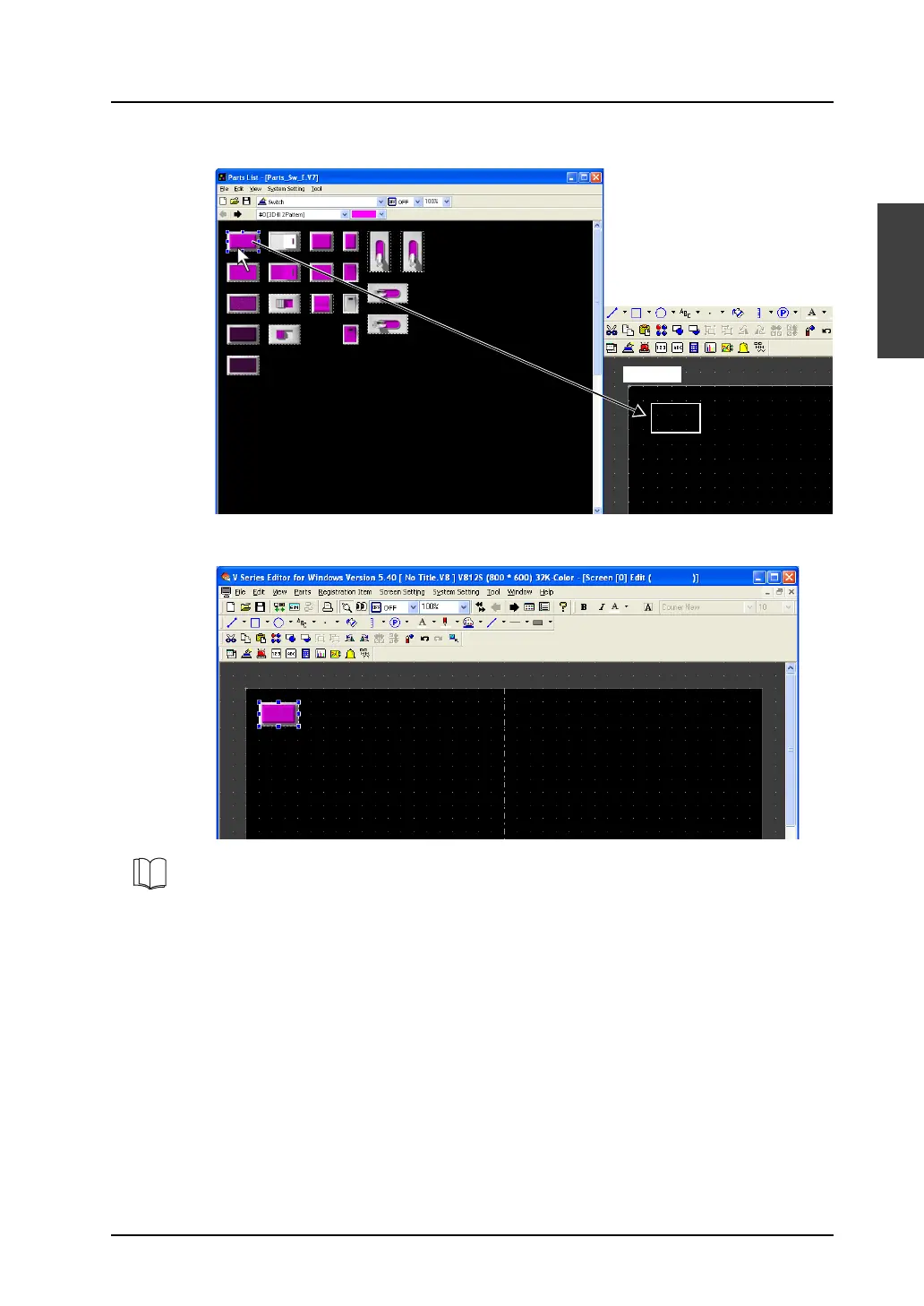
4. Select the desired part in the desired color. Drag it onto the screen.
5. The switch part selected above is placed on the screen.
Drag.
3D parts are provided with the flashing function that makes a switch or a lamp flash between different
patterns: ON pattern or pattern P3 to P128 and OFF pattern.
For more information on the setting, refer to “Flashing Function” page A2-8.
For more information on the features of parts, refer to the V8 Series Reference Manual.



 To Next Page