64k- or 32k-color Type
A2-6
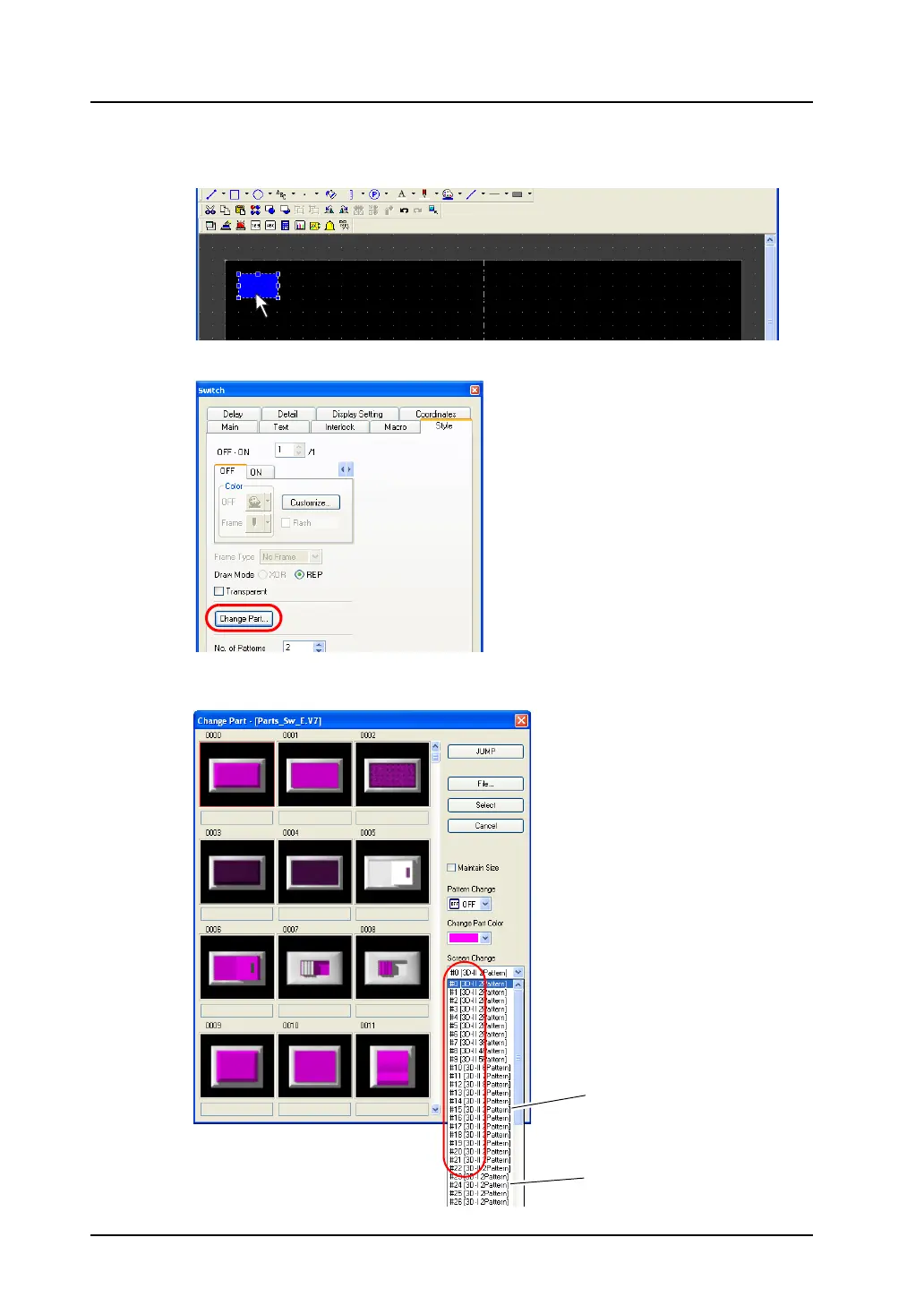
Selection from [Change Part] (with a switch already placed)
1. Click or double-click the switch placed on the screen.
2. In the [Switch] dialog, open the [Style] tab window and click [Change Part].
3. The [Change Part] dialog is displayed. Find the desired part in the switch parts list selected from
the pull-down menu.
“II”: 64k-/32k-color type
“I”: 128-color type
(V6-compatible)



 To Next Page