Parts Editing
A3-16
D. [With Internal Circle]
(Procedure)
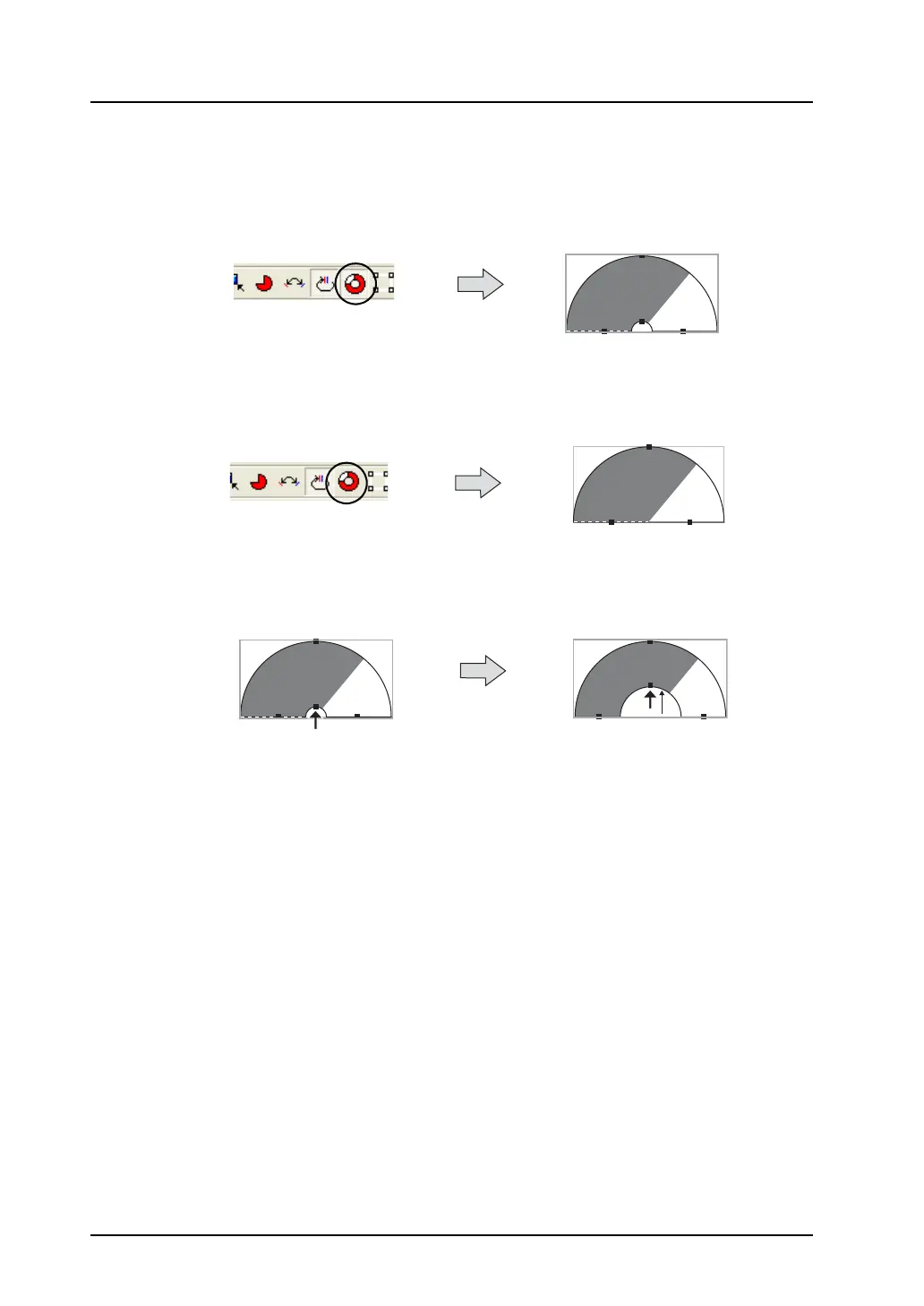
1. Click the [With Internal Circle] icon.
Clicking the icon makes an internal circle (hole) in the pie graph part.
Clicking the depressed [With Internal Circle] icon resets it. The internal circle (hole) is
deleted from the pie graph part as a result.
2. While the pie graph part has an internal circle (hole), drag the handle of the internal circle.
The internal circle is changed in size by dragging the handle.
Clicking this icon makes it
depressed.
An internal circle is made in the
pie graph part.
Click the depressed icon
to reset it.
Clicking the pie graph part
deletes its internal circle.
Dragging this handle upward
changes the size of the
internal circle only.



 To Next Page