Parts Editing
A3-15
A3
Parts Editing
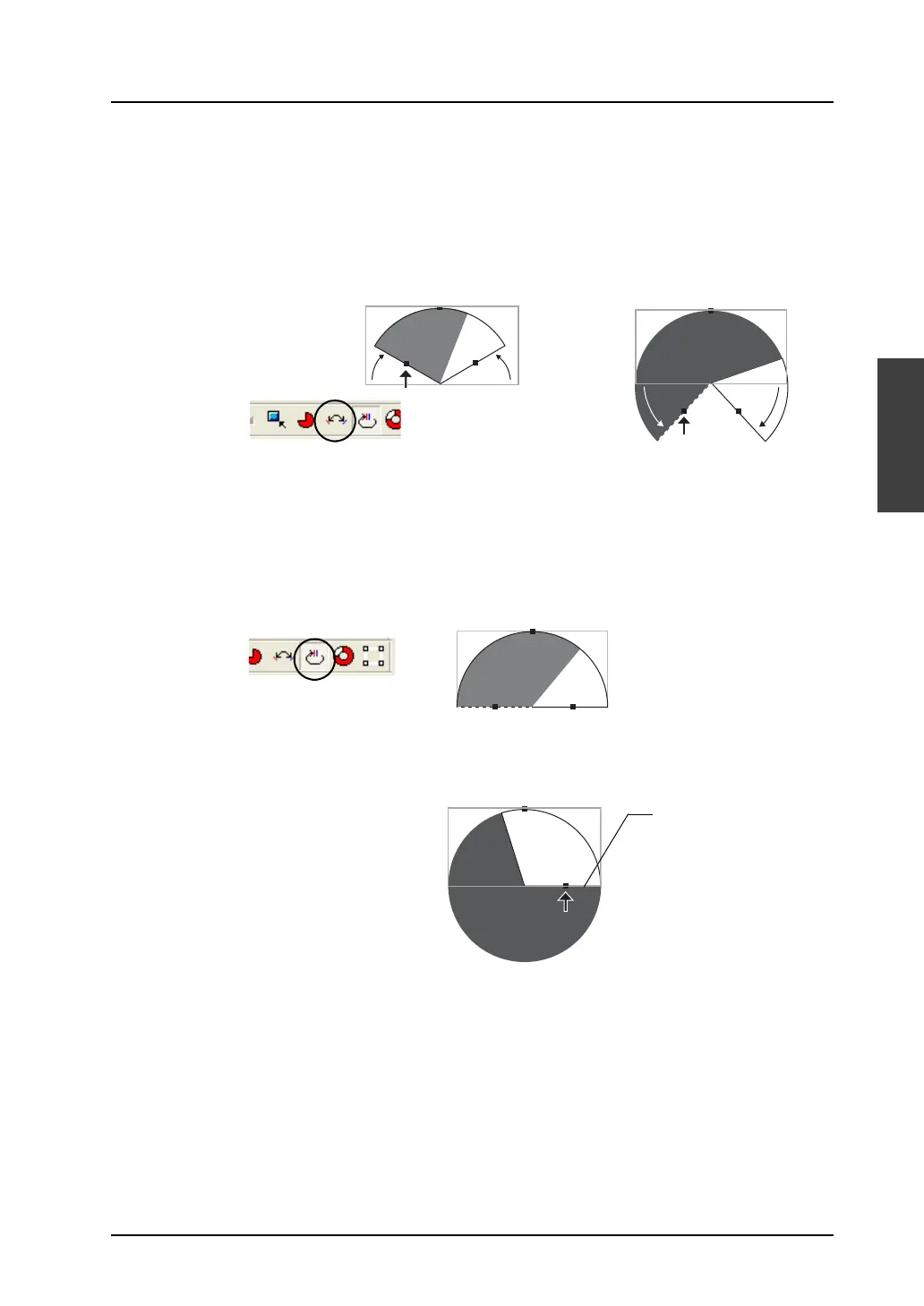
B. [Symmetrical]
Both the start and end angles are changeable at the same time.
C. [Same Start and End Angles]
(Procedure)
1. Click the [Symmetrical] icon.
When you click the pie graph part next, handles appear around the part.
2. Drag the handle for either the start or end angle. Both the start and end angles are
changed simultaneously and symmetrically.
(Procedure)
1. Click the [Same Start and End Angles] icon.
When you click the pie graph part next, handles appear around the part.
2. Drag the handle for either the start or end angle. The handles for the start and end angles
are brought to the same position. The graph thereby becomes a circle. (The handle for
the start angle is moved to the handle for the end angle.)
Dragging the handle for
the start or end angle
changes both angles
simultaneously and
symmetrically.
Click this icon.
Clicking the part shows
the handles.
Click this icon.
The handles for the start
and end angles are freely
movable by dragging.
The handles for the
start and end angles
come to this position.



 To Next Page