3.7 Parts Placement and Setting
3-67
3
Screen Editing
Item placement on overlap display
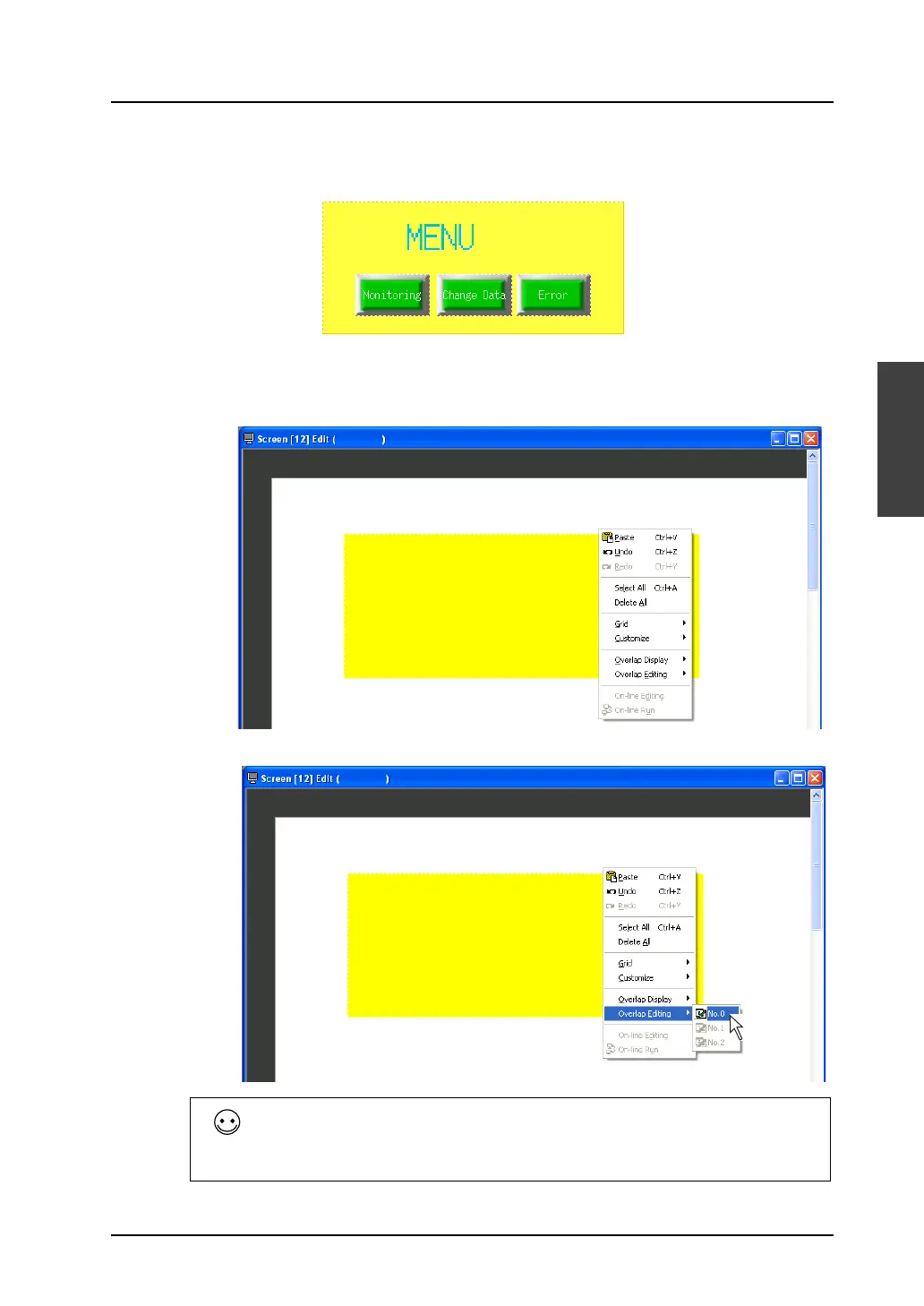
This section explains the procedure for creating an overlap display including the following items.
1. Right-click somewhere on the screen including the normal overlap display part.
* Note that the normal overlap display part is deselected when you right-click on the screen.
2. Click [Overlap Editing] → [No. 0]. The sub-menu item [No. 0] is depressed.
Other than right-clicking, you may alternatively perform the following when attempting to edit an
overlap display.
Click [View] → [Toolbar]→ [Overlap]. The overlap toolbar including the overlap editing icons is
displayed. Clicking the [No. 0] icon achieves the same state as that after the above-mentioned
right-clicking.



 To Next Page